
Summary
goose is an open-source AI agent from the Agentic AI Foundation that runs locally as a desktop app, CLI and ACP server. It connects to MCP extensions and whichever LLM provider you configure, and edits, reviews and runs code on your machine.
- Best for
- Devs who want an open source coding agent that reuses an existing Claude or ChatGPT plan
- Not for
- Non-technical users or teams that want a fully managed, zero-configuration coding assistant with vendor support included; Goose requires choosing, configuring, and paying for your own LLM provider separately.
- From
- Free
- Free tier
- YesThe agent itself is free and unlimited under Apache 2.0 — desktop app, CLI and server. You supply inference: your own provider API key, a subscription sign-in (ChatGPT Plus/Pro, Claude Code via ACP), or a local model through Ollama/LM Studio at no cost. The docs point to Google Gemini's free tier as a zero-spend start; a $10 Tetrate credit grant on first sign-in is a third-party offer, not a goose plan.
What it does
- Writes code
- Yesgoose authors new code from a plain-language prompt using the built-in Developer extension's write and edit tools, on your own machine.
goose is an AI agent, which means you can prompt goose to perform tasks for you like opening applications, running shell commands, automating…
goose-docs.ai/docs/guides/tips - Debugs and fixes
- YesThe vendor documents goose reading failed CI runs through the GitHub CLI and then applying and staging fixes itself; that walkthrough is flagged as written against a beta build, but the same shell and edit tools ship today.
we leverage the GitHub CLI (gh) using goose to simplify your CI debugging process, fetch detailed information about failed CI runs and annotations…
goose-docs.ai/blog/2024/12/11/resolving… - Writes tests
- PartlyTest generation is not native: goose produces Playwright specs only after you install the third-party Playwright CLI agent skill plus Node and the Summon extension, and the docs show it writing browser tests rather than unit tests.
With the Playwright CLI, goose can navigate websites, click buttons, fill forms, and turn those interactions into Playwright tests, all from natural…
goose-docs.ai/docs/tutorials/playwright… - Reviews code
- YesA first-class goose review command reviews the working tree or a branch range, discovers repo-defined checks under .agents/checks, and runs them as parallel subagents with a severity filter.
Review the current git diff using goose. By default, goose review reviews the working tree against HEAD; pass a range such as main...HEAD to review a…
goose-docs.ai/docs/guides/goose-cli-com… - Whole-codebase work
- PartlyThe Analyze extension traces symbols and call graphs across directories, but results over 50,000 characters are withheld unless forced, and the docs advise narrowing scope or delegating to a subagent, so repository-wide work is chunked rather than indexed.
The Analyze platform extension provides an analyze tool that helps you understand code structure, track symbol usage, and explore call graphs across…
goose-docs.ai/docs/guides/codebase-anal… - Ships it
- Partlygoose has no managed deployment pipeline of its own; it ships work by executing your shell and git commands, and the vendor positions CI/CD build and deployment workflows as tasks you script around the CLI.
goose isn’t just useful on your local machine, it can also streamline tasks in CI/CD environments.
goose-docs.ai/docs/tutorials/cicd - Done-for-you service
- NoNo services team is offered anywhere on the site: goose is software you download and run yourself, with Discord and GitHub as the only support channels.
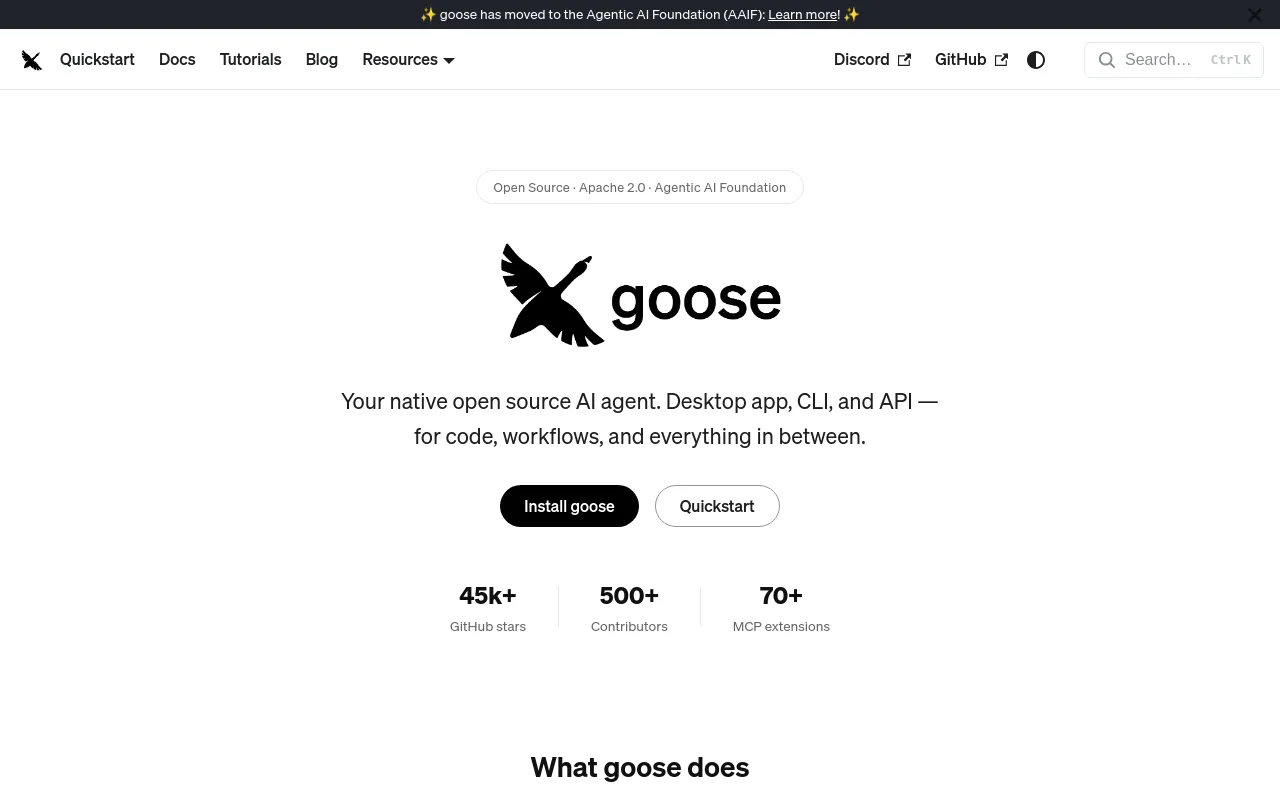
Your native open source AI agent. Desktop app, CLI, and API — for code, workflows, and everything in between.
goose-docs.ai
How much it does unattended
- Runs autonomously
- YesAutonomous mode is the shipped default and needs no human in the loop; goose run takes an instruction file, allows 1000 turns without user input, and recipes can be scheduled by cron.
goose can modify files, use extensions, and delete files without requiring approval
goose-docs.ai/docs/guides/managing-tool… - Multi-agent
- Yesgoose spawns subagents that run sequentially or in parallel with their own process isolation, driven either by direct prompts or by reusable recipe files, and can also wrap external agents such as Codex.
You can run multiple subagents sequentially or in parallel.
goose-docs.ai/docs/guides/context-engin… - Agent permissions
- YesFour permission modes span full autonomy to chat-only, with per-tool Always allow / Ask before / Never allow rules, switchable mid-session; the default grants shell and file writes without asking.
By default, goose can run system commands with your user privileges and edit any accessible file without your approval.
goose-docs.ai/docs/mcp/developer-mcp
Which models it runs on
- Claude
- YesClaude is supported through Anthropic directly and via Bedrock, Vertex, Snowflake, Databricks and Copilot, and the vendor names Claude 4 as the model goose works best with today.
Offers Claude, an advanced AI model for natural language tasks.
goose-docs.ai/docs/getting-started/prov… - GPT
- YesOpenAI models are supported directly, through Azure OpenAI and through a ChatGPT Plus/Pro sign-in for GPT-5 Codex; the docs exclude o1-mini and o1-preview because goose depends on tool calling.
Provides gpt-4o, o1, and other advanced language models.
goose-docs.ai/docs/getting-started/prov… - Open models
- YesOpen-weight models run locally through Ollama, LM Studio, Docker Model Runner, Ramalama or goose's own local-models command, and remotely through gateways such as Novita, OVHcloud and Cerebras.
Local model runner supporting Qwen, Llama, DeepSeek, and other open-source models.
goose-docs.ai/docs/getting-started/prov… - Model choice
- YesYou choose the provider and the model, can switch either mid-session with /model, and can register custom OpenAI-, Anthropic- or Ollama-compatible providers from a JSON file.
goose is compatible with a wide range of LLM providers, allowing you to choose and integrate your preferred model.
goose-docs.ai/docs/getting-started/prov…
Where you use it
- In your editor
- YesA VS Code extension gives goose an in-editor chat with selection and @-file context, and goose also runs as an ACP agent that editors such as Zed launch; the VS Code extension is documented as experimental.
The goose for VS Code extension lets you interact with goose directly within VS Code.
goose-docs.ai/docs/experimental/vs-code… - On the command line
- YesThe CLI is a first-class surface with session, run, review, recipe, schedule, serve and terminal-integration commands, and shares provider and extension configuration with the desktop app.
goose provides a command-line interface (CLI) with commands for managing sessions, configurations and extensions.
goose-docs.ai/docs/guides/goose-cli-com… - In your pipeline
- YesThe vendor publishes a full GitHub Actions workflow that installs a pinned goose CLI, runs goose against the PR diff and posts the result as a pull request comment.
This guide walks you through setting up goose in your CI/CD pipeline, with a focus on using GitHub Actions for code reviews.
goose-docs.ai/docs/tutorials/cicd - In a browser
- PartlyThere is no vendor-hosted web app; goose serve exposes an authenticated ACP endpoint over HTTP and WebSocket that web clients can be built against, with browser origins allow-listed by flag.
These clients can be code editors, desktop, web, or mobile apps, automated services, or other custom integrations.
goose-docs.ai/docs/gdk/acp
Whose machine it runs on
- Self-hosted
- YesSelf-hosting is the only deployment model: the agent, its sessions and its logs live on your machine, and goose serve can be run on your own VM with TLS and a shared secret.
goose is a local application and all goose log files are stored locally.
goose-docs.ai/docs/guides/logs - Open source
- YesThe whole agent is open source on GitHub under Apache 2.0 and governed by the Agentic AI Foundation, though the vendor's own llms.txt also calls it MIT licensed in the same file.
goose is developed by AAIF (Agentic AI Foundation) as an open source project under the Apache 2.0 license.
goose-docs.ai/llms.txt
What it costs to run
- How it meters
- Partlygoose itself charges nothing, so the running cost is entirely your LLM provider's metered token or credit spend; no calculator or cost estimate is published and the vendor only tells you to keep provider credits topped up.
you'll need to ensure that you have credits available in your LLM Provider account to successfully make requests
goose-docs.ai/docs/getting-started/inst… - Free tier
- YesThe software is free to download and use with no account or sales call; you only need a provider key, and the docs point to Google Gemini's free tier as a zero-cost way to start.
Google Gemini offers a free tier you can get started with. Otherwise, you'll need to ensure that you have credits available in your LLM Provider…
goose-docs.ai/docs/getting-started/inst… - API access
- YesTwo documented programmatic paths exist: the ACP agent over stdio, HTTP or WebSocket with secret-key auth, and a goose-sdk provider library for Rust, Python and Kotlin that is still alpha.
Use the Agent Client Protocol (ACP) to build clients that connect to goose's agent runtime, tools, extensions, and configured models.
goose-docs.ai/docs/gdk/acp - MCP server
- Partlygoose is primarily an MCP client that consumes 70+ extensions, and its CLI can run an enabled MCP server; another agent drives goose itself over ACP rather than through a goose-provided MCP server.
Run an enabled MCP server specified by <name> (e.g. 'Google Drive').
goose-docs.ai/docs/guides/goose-cli-com… - Bring your own key
- YesKeys are always yours: you paste provider API keys, point the OpenAI provider at your own vLLM or proxy endpoint, define custom providers in JSON, or run models locally with no key at all.
The built-in OpenAI provider can connect to OpenAI's official API (api.openai.com) or any OpenAI-compatible endpoint
goose-docs.ai/docs/getting-started/prov…
Buying it for a team
- Admin controls
- YesAn administrator can pin an allowlist URL through GOOSE_ALLOWLIST so only approved MCP servers install, and can force approval modes and per-tool permissions through the config file.
An allowlist lets administrators control which MCP servers can be installed as goose extensions. When enabled, goose will only install extensions…
goose-docs.ai/docs/guides/allowlist - Audit log
- PartlyEvery tool invocation, command and timestamp is recorded, but only to local files and a local SQLite session database that are purged after two weeks, so there is no central or tamper-evident administrative trail.
goose is a local application and all goose log files are stored locally. These logs are never sent to external servers or third parties
goose-docs.ai/docs/guides/logs - Single sign-on
- Nogoose has no vendor accounts to federate, and the only authentication it documents for its own server is a shared X-Secret-Key value, with no SAML or OIDC option described anywhere in the docs.
HTTP clients authenticate with the X-Secret-Key header. WebSocket clients can use the same header, but browser-based WebSocket clients must pass the…
goose-docs.ai/docs/gdk/acp
What happens to your code
- Opt out of training
- Partlygoose's own telemetry is opt-in and explicitly excludes your code and conversations, but whether your prompts train a model is decided by the LLM provider you point it at, which the vendor says has its own retention policy.
Collected usage data doesn't include your conversations, code, tool arguments, error messages, or any personal data.
goose-docs.ai/docs/guides/usage-data - Data residency
- PartlySessions, logs and secrets stay on the machine you run goose on, so residency is yours to choose, but the vendor names no jurisdiction and prompts leave for whichever provider you configure.
Depending on the LLMs you use with goose, your conversations, prompts, and information accessed by goose might be sent to the provider and subject to…
goose-docs.ai/docs/guides/usage-data - Getting out
- YesWhole sessions export to JSON, YAML or Markdown from the desktop app or goose session export, and re-import elsewhere; there are no vendor credits that could expire because nothing is bought.
Export complete sessions as JSON files for backup, sharing, migration, or archival. Exported files preserve all session data including conversation…
goose-docs.ai/docs/guides/sessions/sess…
Not established: Certifications
31 sourced claims on this page. Checked 2026-09-16. How we check.
Filed under
Sources and updates
The pages we read32
1 of 32 independent of the vendor.
- goose-docs.ai/8 fields
- goose-docs.ai/docs/getting-started/providers6 fields
- goose-docs.ai/docs/guides/goose-cli-commands5 fields
- goose-docs.ai/docs/gdk/acp3 fields
- goose-docs.ai/docs/guides/logs3 fields
- goose-docs.ai/docs/guides/remote-goose-server3 fields
- goose-docs.ai/docs/tutorials/headless-goose3 fields
- goose-docs.ai/llms.txt3 fields
- goose-docs.ai/docs/gdk2 fields
- goose-docs.ai/docs/getting-started/installation2 fields
- goose-docs.ai/docs/guides/managing-tools/goose-permissions2 fields
- goose-docs.ai/docs/guides/sessions/smart-context-management2 fields
- goose-docs.ai/docs/guides/usage-data2 fields
- goose-docs.ai/docs/tutorials/cicd2 fields
- goose-docs.ai/blog/2024/12/11/resolving-ci-issues-with-goose-a-practical-walkthrough1 field
- goose-docs.ai/docs/experimental/vs-code-extension1 field
- goose-docs.ai/docs/getting-started/using-extensions1 field
- goose-docs.ai/docs/goose-architecture1 field
- goose-docs.ai/docs/guides/allowlist1 field
- goose-docs.ai/docs/guides/codebase-analysis1 field
- goose-docs.ai/docs/guides/context-engineering/subagents1 field
- goose-docs.ai/docs/guides/managing-tools/tool-permissions1 field
- goose-docs.ai/docs/guides/security1 field
- goose-docs.ai/docs/guides/sessions/session-management1 field
- goose-docs.ai/docs/guides/tips1 field
- goose-docs.ai/docs/mcp/developer-mcp1 field
- goose-docs.ai/docs/mcp/netlify-mcp1 field
- goose-docs.ai/docs/mcp/repomix-mcp1 field
- goose-docs.ai/docs/quickstart1 field
- goose-docs.ai/docs/tutorials/goose-in-docker1 field
- goose-docs.ai/docs/tutorials/playwright-skill1 field
- api.github.com/repos/aaif-goose/goosePlatform record1 field
Platform record2026-08-30
- Licence
- Apache-2.0
- Stars
- 53,688
- Forks
- 6,137
- Last push
- 2026-08-29
Updates6
- Capabilities · Commercial terms · Free tier · Price
- Capabilities · Commercial terms · Free tier
- Capabilities · Commercial terms · Free tier
- Capabilities · Links
- One-liner · Summary
- Created · One-liner · Summary