


The facts, with their sources
What it does
- Writes code
- YesThe agent writes new code from a plain-language prompt, including scaffolding a whole application from scratch in a new project directory.
Ask Copilot to create an application from scratch—for example, as a proof of concept.
docs.github.com/en/copilot/concepts/cop… - Debugs and fixes
- YesGitHub documents debugging as a core use: you can ask it why a change it made is failing and tell it to fix the problem.
You can use it to answer questions, write and debug code, and interact with GitHub.com.
docs.github.com/en/copilot/concepts/cop… - Reviews code
- YesIt can be pointed at an existing pull request and report problems in that diff, answering in the terminal rather than as a PR review.
Ask Copilot to check the code changes in a pull request.
docs.github.com/en/copilot/concepts/cop… - Whole-codebase work
- YesGitHub positions it for legacy codebase navigation and multi-step implementations, with auto-compaction so long sessions survive the token limit.
Copilot CLI excels at legacy codebase navigation, new repository creation, cross-platform development setup, and multi-step implementations
github.com/features/copilot/cli - Ships it
- YesIt goes past the diff: it commits locally, opens pull requests on GitHub.com on your behalf, and can merge or close them.
Copilot creates a pull request on GitHub.com, on your behalf. You are marked as the pull request author.
docs.github.com/en/copilot/concepts/cop…
How much it does unattended
- Runs autonomously
- PartlyBy default every file change and command needs your approval; autopilot mode and the blanket allow flag remove that, so unattended running is opt-in.
Every file change and command execution requires your explicit approval before being applied.
github.com/features/copilot/cli - Multi-agent
- YesThe /fleet command runs one task across several subagents in parallel, optionally on different models, and converges the results.
Copilot CLI supports subagents and multi‑agent workflows. With /fleet, you can run the same task across multiple subagents in parallel
github.com/features/copilot/cli - Agent permissions
- YesPermissions are per tool and configurable: approve once, approve for the session, or pass allow and deny flags, with deny taking precedence.
There are three command-line options that you can use, in either interactive or programmatic sessions, to determine tools that Copilot can use…
docs.github.com/en/copilot/concepts/cop…
Which models it runs on
- Claude
- YesClaude is the default model in the CLI and further Claude versions are selectable with the /model command.
By default, copilot utilizes Claude Sonnet 4.5. Run the /model slash command to choose from other available models
github.com/github/copilot-cli - GPT
- YesOpenAI GPT models are offered alongside Claude in the model picker, and GitHub names OpenAI as one of its providers.
Run the /model slash command to choose from other available models, including Claude Sonnet 4 and GPT-5.
github.com/github/copilot-cli - Gemini
- YesGoogle is named as one of the foundation model providers behind the CLI, and Gemini models appear in the per-plan model table.
Copilot CLI supports models from multiple foundation model providers, such as Anthropic, Google, and OpenAI.
github.com/features/copilot/cli - Model choice
- YesYou pick the model yourself per task with /model, and can run several models on one task through /fleet.
Use /model to switch, then /fleet to execute in parallel or run multiple models at once.
github.com/features/copilot/cli
Where you use it
- In your editor
- YesBesides any terminal, it runs inside the VS Code integrated terminal and the VS Code chat panel; other editors just see the files it changes.
Yes, you can interact with Copilot CLI in the VS Code integrated terminal and in the VS Code chat panel.
github.com/features/copilot/cli - On the command line
- YesThe terminal is the product: an interactive session on macOS, Linux and Windows PowerShell or WSL, installed via npm, Homebrew or WinGet.
The command-line interface (CLI) for GitHub Copilot allows you to use Copilot directly from your terminal.
docs.github.com/en/copilot/concepts/cop… - In your pipeline
- YesProgrammatic mode takes a single prompt and exits, so it can be scripted, and it acts on pull requests directly including merging and closing them.
You can also pass the CLI a single prompt directly on the command line. The CLI completes the task and then exits.
docs.github.com/en/copilot/concepts/cop… - In a browser
- NoThe CLI itself has only the two terminal interfaces; the hosted web experience is a separate Copilot surface, not this product.
GitHub Copilot CLI has two user interfaces: interactive and programmatic.
docs.github.com/en/copilot/concepts/cop…
Whose machine it runs on
- Self-hosted
- NoThe agent is a client for GitHub's hosted service and GitHub states Copilot is not available on its self-managed server product.
Copilot is not currently available for GitHub Enterprise Server.
docs.github.com/en/copilot/get-started/…
What it costs to run
- How it meters
- YesBilling is per GitHub AI Credit on top of the seat price, at one cent a credit, with consumption varying by model and task length.
GitHub AI Credits are how you pay for AI usage in GitHub Copilot. Every plan includes a monthly allowance: 1 AI credit = $0.01 USD.
github.com/features/copilot/plans - Free tier
- YesThe free Copilot plan includes the CLI with an allowance of AI credits, so you can install and run it without talking to anyone.
Copilot CLI is included as a core feature of all GitHub Copilot plans (Free, Pro, Pro+, Max, Business, and Enterprise).
github.com/features/copilot/cli - API access
- YesProgrammatic mode drives the agent from your own scripts with a single prompt argument, and it can authenticate with a fine-grained personal access token.
To use the CLI programmatically, include the -p or --prompt command-line option in your command.
docs.github.com/en/copilot/concepts/cop… - MCP server
- YesIt ships with GitHub's MCP server enabled and connects to custom MCP servers, so it acts as an MCP client rather than a server other agents call.
the coding agent ships with GitHub's MCP server by default and supports custom MCP servers to extend capabilities
github.com/github/copilot-cli
Buying it for a team
- A company can buy it
- YesOrganisations buy Copilot Business or Enterprise seats and the CLI is included; an admin must switch it on for the organisation.
Copilot CLI works with your existing Copilot Business or Enterprise subscription — no additional billing or setup required.
github.com/features/copilot/cli - Seat model
- YesTeam plans are priced per granted seat per month, 19 dollars on Business and 39 on Enterprise; no seat floor or ceiling is published.
Copilot Business | $19 USD per granted seat per month
docs.github.com/en/copilot/get-started/… - Pooled budget
- PartlyCredits are pooled across the organisation only on the team plans; the comparison table marks pooled usage not included on every individual plan.
Pooled usage. Included AI credits are shared org-wide with admin controls for spending.
github.com/features/copilot/plans - Admin controls
- YesThe CLI inherits organisation Copilot policies, respects content exclusion rules, and an admin can disable it entirely for the organisation.
The CLI automatically inherits your organization's Copilot policies and governance settings.
github.com/features/copilot/cli - Single sign-on
- PartlyThe plan comparison marks SAML SSO authentication as not included on Free, Pro, Pro+ and Max, so it is a team-plan concern rather than an individual one.
SAML SSO authentication. Free plan: Not included. Pro plan: Not included. Pro+ plan: Not included. Max plan: Not included
github.com/features/copilot/plans
What happens to your code
- Opt out of training
- YesIndividual subscribers can turn off model training on their prompts and suggestions in settings; business and enterprise data is covered by the DPA instead.
Individual subscribers can opt out of having their data used for AI model training at any time through https://github.com/settings/copilot/features
github.com/features/copilot/plans - Certifications
- YesGitHub states Copilot supports GDPR compliance through a data protection agreement; SOC 2 or ISO 27001 certificates are not named on the pages read.
Yes. GitHub and customers can enter a Data Protection Agreement that supports compliance with the GDPR and similar legislation.
github.com/features/copilot/plans
Plans and pricing
Price and terms
- Free plan
- YesYes
The terms in full
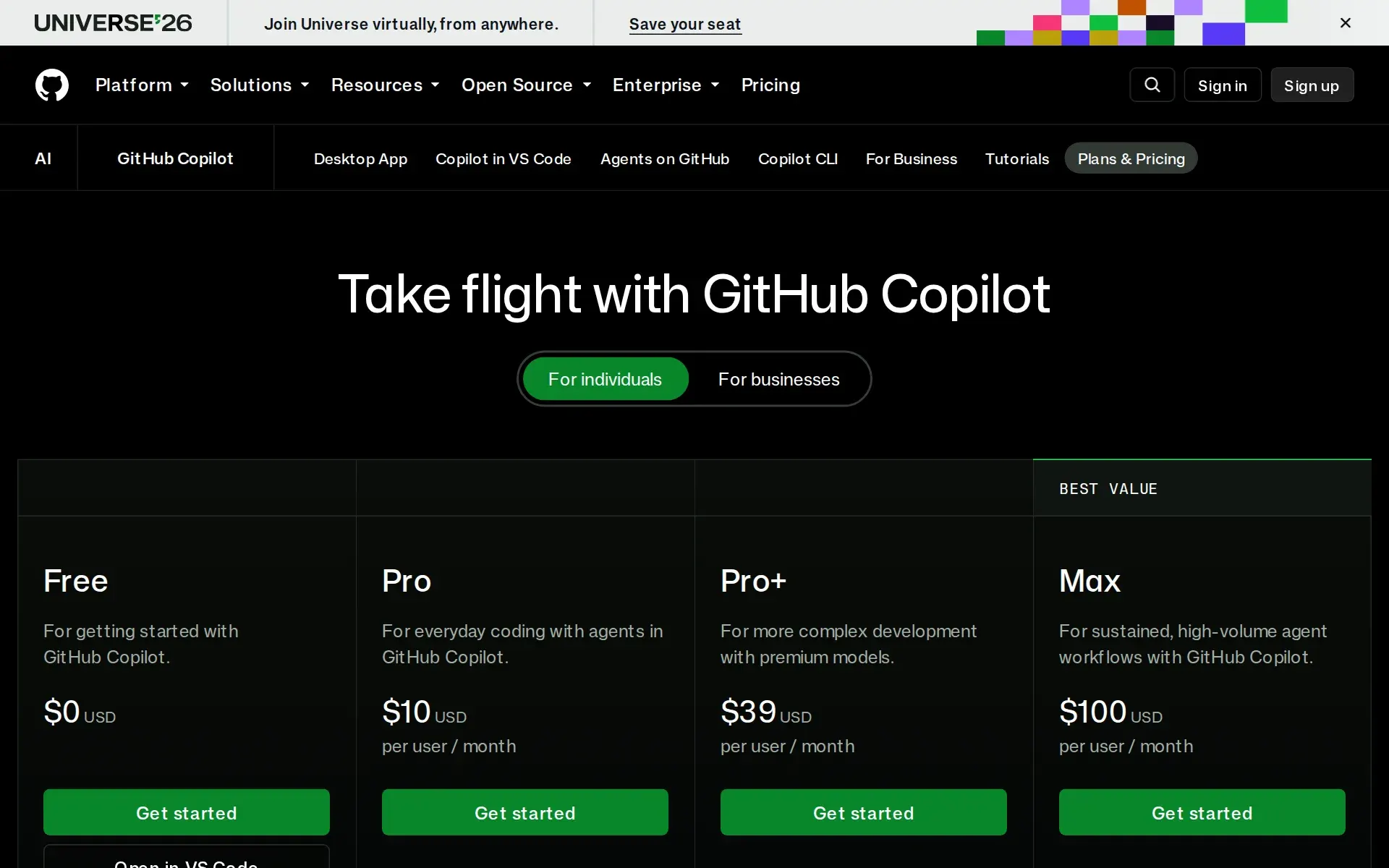
Copilot Free costs $0 and includes the CLI with an allowance of GitHub AI Credits, auto model selection only, limited agent usage and 2,000 completions per month; pooled usage and purchasing extra credits are not available.
What needs a higher plan
- Copilot Business
- Pooled budget
Checked .
The Agents Index digest
Price changes and new agents like GitHub Copilot CLI, at most once a week.
Last issue: Devin vs Claude Code: Which Should You Pick? · 13 October 2026
Works with
 Claude
 GPT
GPT Gemini
For AI agents
- MCP server
- Yes
- API
- Yes
Screenshots
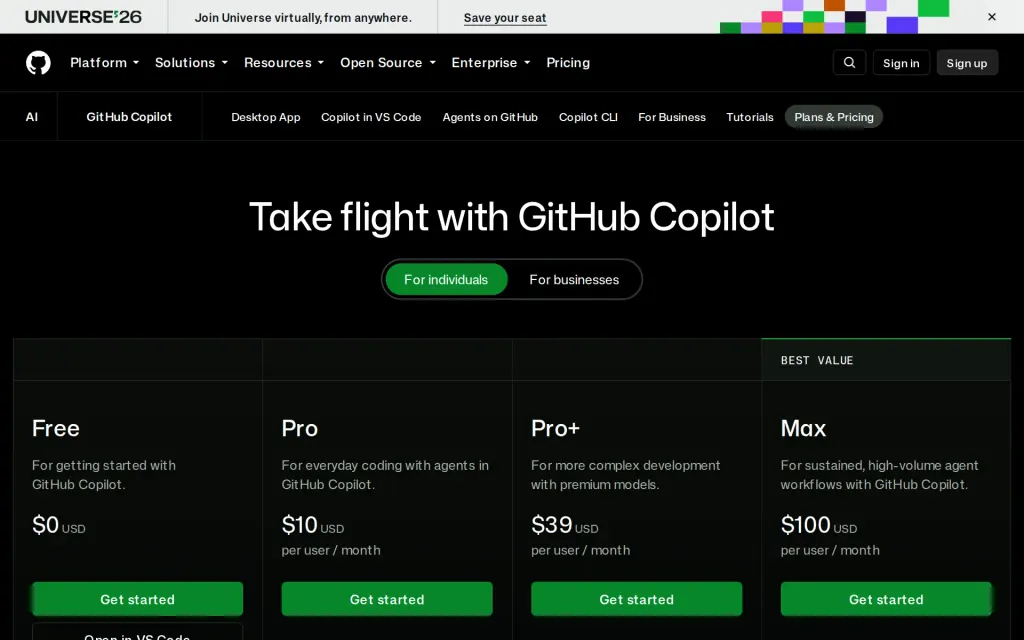
Pricing page, github.com, captured 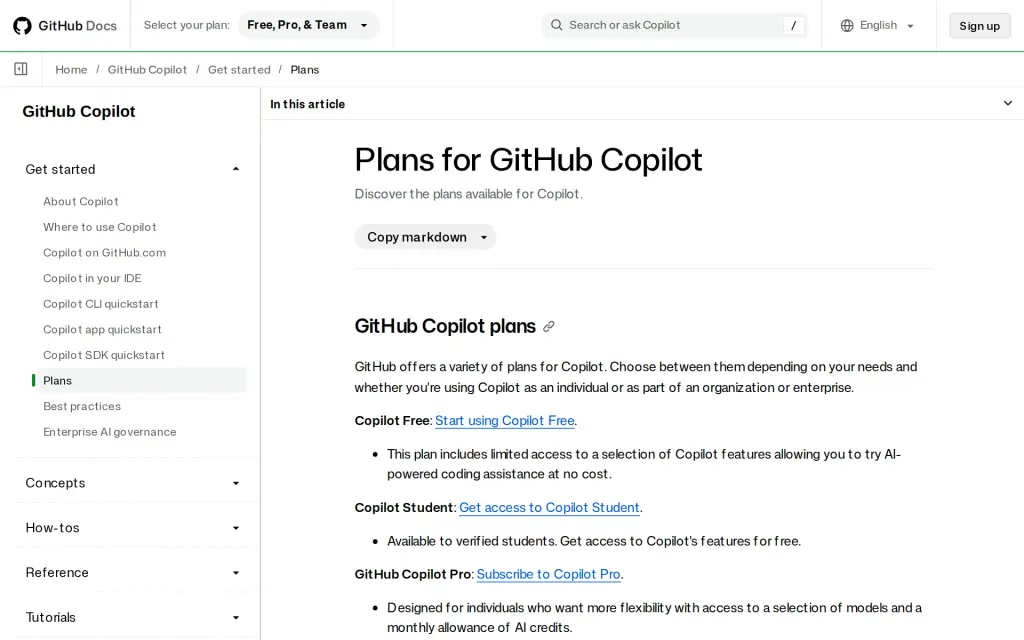
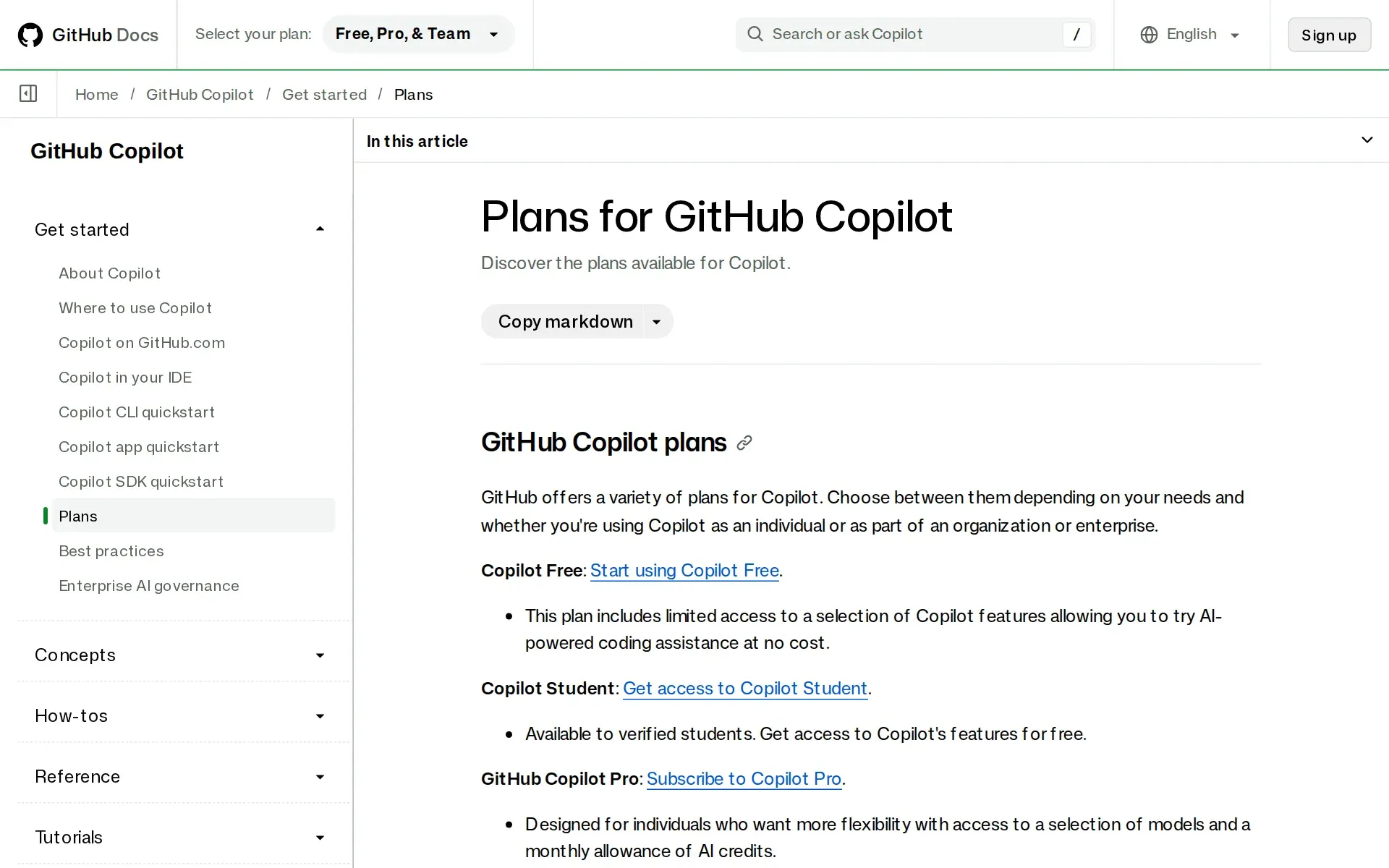
Docs, github.com, captured
Filed under
Sources and updates
Sources5
Updates1
- Capabilities · Free tier · Plan limits · Price · Terms
Is this yours? Claim it free and edit it in your dashboard, or feature it in Terminal coding agents.