
SalesTouch
VerifiedSummary
SalesTouch is a hosted remote MCP server that exposes LinkedIn search, profile, conversation, outreach and publishing tools to MCP-compatible AI clients. A queueing layer applies identity, permission, pacing and working-hour checks before any action reaches LinkedIn.
- Best for
- Sales and developer teams already running Claude or Codex through MCP who want a single endpoint for LinkedIn reads, outreach, and engagement without a browser extension.
- Not for
- Teams that want a human-facing dashboard for LinkedIn outreach won't find one here: SalesTouch has no UI of its own and only works if you're already wiring up an MCP-compatible AI agent.
- From
- $39/month$39 monthly · $32.42 billed annually
- Free trial
- PartlySeven-day free trial with the complete product and one connected LinkedIn account; a payment method is required and the selected monthly or annual plan starts automatically unless cancelled in Stripe before day 7. No standing $0 plan exists.
What it does
- Done-for-you service
- NoYou run the software yourself: the vendor sells a self-serve subscription and a connector, not a managed outreach team.
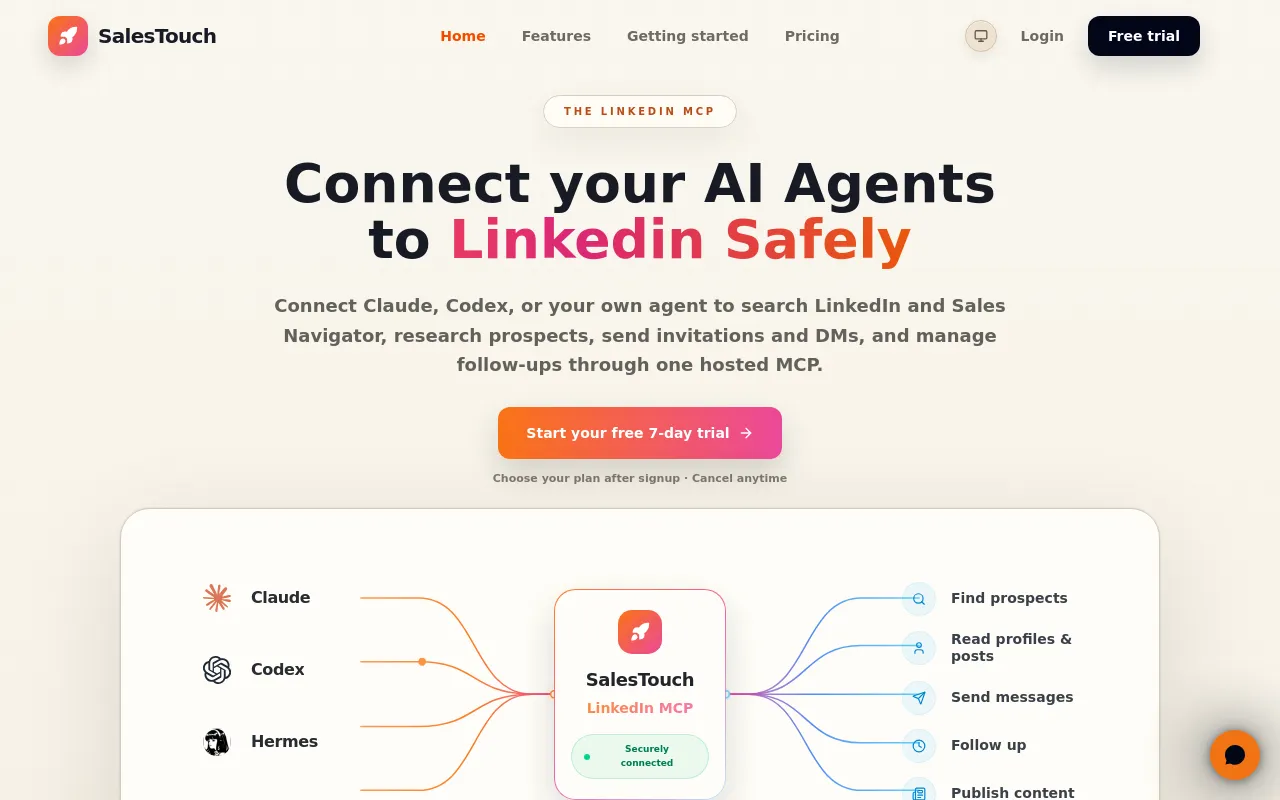
SalesTouch is a LinkedIn MCP: a secure connector that lets your AI agent work on LinkedIn with your permission.
salestouch.io
How much it does unattended
- Runs autonomously
- PartlyScheduled work executes in the cloud without the agent running, but the docs still direct confirmation of message content and approval controls exist for sensitive actions.
Schedule LinkedIn actions from Claude or Codex. SalesTouch queues and executes them in the cloud when they are due, even if your agent is closed and…
salestouch.io - Multi-agent
- PartlySeveral MCP clients can share one SalesTouch connection and workspace state; no orchestration of multiple agents on a single task is described.
Claude, Codex, and other compatible agents can use the same SalesTouch connection. You are not locked into one AI client.
salestouch.io/linkedin-mcp - Agent permissions
- YesEvery call passes a documented pre-execution gate covering identity, permissions, limits, timing and queue state, and out-of-policy work is refused rather than run.
Before an action reaches LinkedIn, SalesTouch checks identity, permissions, limits, timing, and queue state. Approved work moves fast. Anything…
salestouch.io
Which models it runs on
- Claude
- YesClaude is a first-class client on both plans, connected either through the vendor's plugin marketplace flow or a manual remote MCP entry.
Use SalesTouch from Claude through MCP.
salestouch.io/pricing - GPT
- YesBoth OpenAI surfaces are listed on every plan: ChatGPT via remote MCP and Codex as a documented connection path.
Connect SalesTouch to ChatGPT through remote MCP.
salestouch.io/pricing - Open models
- NoThe only inference provider named anywhere on the site is Anthropic, for SalesTouch's own AI features; no open-weight model support is claimed.
Anthropic | AI generation for features that use it | Prompts, relevant context and generated output
salestouch.io/privacy - Model choice
- YesThe model lives in your own client, which you bring and pay for separately, so the buyer picks the model rather than the vendor.
Connect any supported AI client that can use remote MCP servers.
salestouch.io/pricing
Where you use it
- On the command line
- YesThe documented default connection path is the Codex command-line client, with the graphical Codex app given as the alternative.
If you use the graphical Codex app, add a Streamable HTTP MCP server named `salestouch` with the same endpoint and connect it through OAuth.
salestouch.io/docs/getting-started - In a browser
- YesBesides the MCP endpoint there is a hosted web application for setup, activity, limits, organizations and billing administration.
Use a web interface for setup, activity, limits, organizations and billing.
salestouch.io/terms
Not established: In your editor, In your pipeline
Whose machine it runs on
- Self-hosted
- NoThere is one vendor-hosted endpoint on the vendor's own domain, with hosting on Vercel and managed PostgreSQL; no customer-run deployment is offered.
SalesTouch exposes one OAuth-protected remote MCP endpoint:
salestouch.io/docs/getting-started - Open source
- NoThe terms reserve all rights in the software and MCP tools to the vendor and grant only a revocable right to use the service.
SalesTouch and its licensors retain all rights in the Service, software, MCP tools, documentation, design, databases, trademarks and related…
salestouch.io/terms
What it costs to run
- How it meters
- YesBilling is a flat subscription per connected LinkedIn account rather than metered credits, tokens or per-task charges; the first account is included.
Every connected LinkedIn account gets the same tools, controls, queues, and visibility.
salestouch.io/pricing - Free tier
- PartlyYou can start without a sales call, but only as a seven-day trial that requires a payment method and converts automatically into the chosen plan.
Connect one LinkedIn account, use every capability, and judge SalesTouch on real work. Cancel in Stripe before day 7 and pay nothing.
salestouch.io/pricing - API access
- PartlyProgrammatic access exists, but only as the OAuth-protected MCP endpoint; no separate REST or GraphQL API is documented on the site.
SalesTouch uses OAuth 2.1 with PKCE. MCP clients discover the authorization server automatically from the protected-resource metadata published…
salestouch.io/docs/authentication - MCP server
- YesThe entire product is a remote MCP server, so any MCP-capable agent can query it once OAuth consent and LinkedIn connection are in place.
Make LinkedIn callable from Claude, Codex, ChatGPT, or any MCP-compatible AI agent. Search, read, message, follow up, and publish through one…
salestouch.io - Bring your own key
- PartlyInference normally comes from your own AI client subscription, and an Anthropic API key can be supplied and is stored encrypted, but the LinkedIn execution stays on vendor infrastructure.
Instructions, relevant prospect or message context, generated suggestions and, if supplied, an encrypted Anthropic API key
salestouch.io/privacy
Buying it for a team
- A company can buy it
- YesThe service is sold only to businesses acting professionally, the buyer must be able to bind the organisation, and organisations are a first-class object in the web app.
The Terms apply only to customers acting for professional purposes. The Service is not offered to consumers.
salestouch.io/terms - Seat model
- YesOne LinkedIn account is included per subscription and each additional account costs the same full price, prorated mid-cycle, with reductions only at renewal.
Mid-cycle additions are prorated automatically.
salestouch.io/pricing - Pooled budget
- NoQueues, limits and visibility are scoped to each connected LinkedIn identity rather than drawn from one shared workspace balance.
Every connected LinkedIn account gets the same tools, controls, queues, and visibility. Keep each identity separate while your agents work from one…
salestouch.io/pricing - Admin controls
- YesDaily action limits, working hours, approval controls for sensitive actions and automatic cooldowns are all configurable and shipped on both plans.
Built-in controls for how LinkedIn actions are scheduled and executed.
salestouch.io/pricing - Audit log
- YesEvery MCP tool call is logged with payload and timing detail and kept for ninety days, on both the monthly and annual plan.
Inspect calls, payloads, durations, account activity, and errors.
salestouch.io/pricing - Single sign-on
- PartlyOptional Google and GitHub social sign-in is documented as the federated login path; SAML or enterprise OIDC is never mentioned anywhere on the site.
Google and GitHub | Optional social sign-in | Account identity and authentication data
salestouch.io/privacy
What happens to your code
- Opt out of training
- PartlyThe vendor states it does not train its own model on customer content, but that is a commitment rather than a switch, and prompts still reach Anthropic under Anthropic's terms.
SalesTouch does not use customer content to train its own general-purpose AI model.
salestouch.io/privacy - Data residency
- PartlyThe operator is in France with an EU analytics region, but some providers process outside the EEA under transfer mechanisms and no region choice is offered.
Some providers process data outside the European Economic Area. Where required, we rely on an adequacy decision, the EU-U.S. Data Privacy Framework…
salestouch.io/privacy - Getting out
- PartlyDeletion or return at the customer's choice is contractual, but export is left to the customer before termination and scrape export links expire after seven days.
You should export data you need before termination.
salestouch.io/terms - Certifications
- PartlyA full GDPR Article 28 processing agreement with audit rights is published, but no SOC 2 or ISO 27001 certification is claimed anywhere on the site.
This section is a data processing agreement under Article 28 GDPR when SalesTouch processes personal data in Customer Data on your behalf.
salestouch.io/terms
27 sourced claims on this page. Checked 2026-09-25. How we check.
Alternatives
Where we would send a reader instead, in that listing's own words.
Cloud headless browsers, search/fetch APIs and managed browser agents behind one API key.
Filed under
Sources and updates
Pages we read on salestouch.io8
Every fact below comes from the vendor. Nothing here is independently corroborated yet.
Updates6
- Free tier
- Capabilities · Commercial terms · Free tier
- Capabilities · Commercial terms · Free tier
- Capabilities · Commercial terms · Free tier · Price
- Alternatives
- One-liner · Summary