
Sim
VerifiedSummary
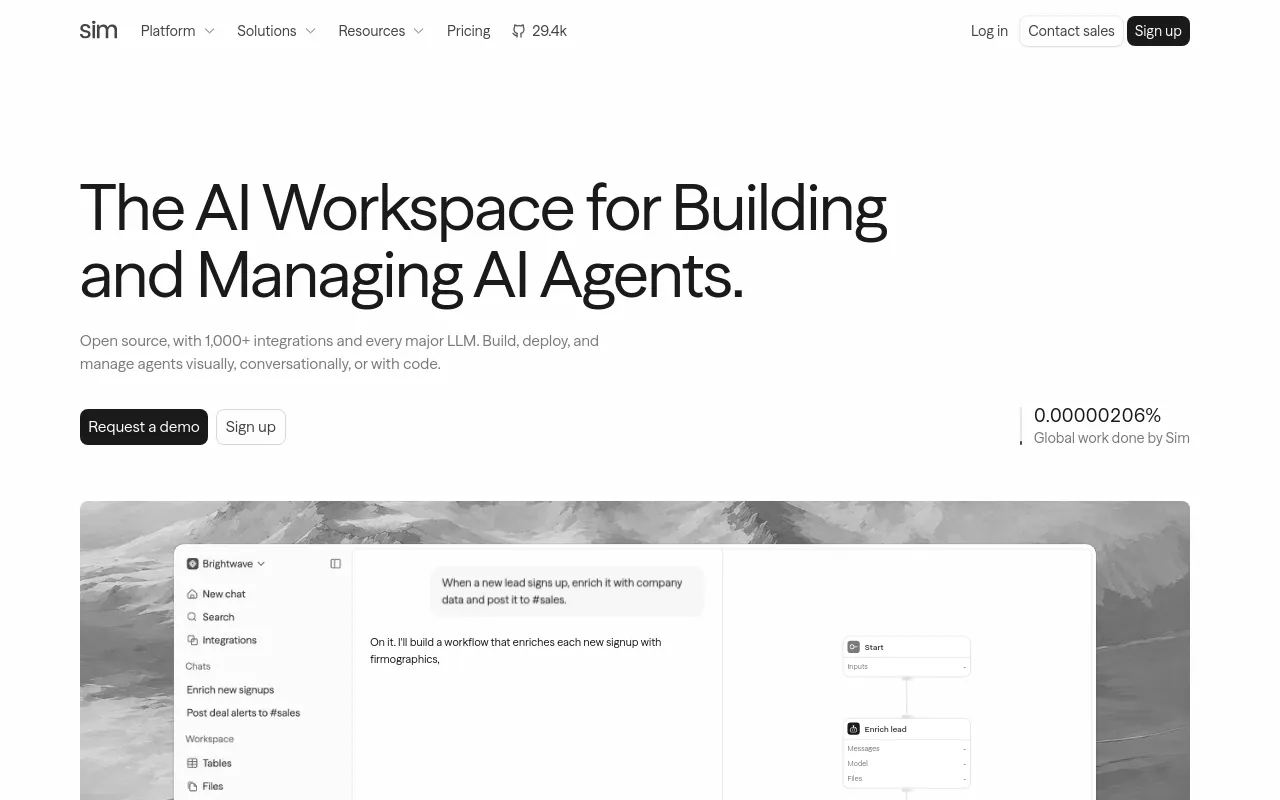
Sim is an open-source AI workspace where teams build agents visually, conversationally in Chat, or through an API. It connects 1,000+ integrations and every major LLM, then deploys workflows as APIs, chats or MCP tools.
- Best for
- Dev teams wanting an open-source, API-first workspace to build and deploy AI agents
- Not for
- Smaller teams needing self-hosting or SSO on a budget: those controls are Enterprise-only, so anyone wanting compliance features without an Enterprise contract is blocked by plan tier, not product capability.
- From
- Freethen $25 monthly · $21 billed annually
- Free tier
- YesFree forever: $0, 1,000 one-time credits, 1 workspace, no teammate invites, 10 concurrent executions, 5 GB file storage, 5 tables, 50,000 rows per table, 30-day log retention, 5-minute sync timeout; Sim Mailer, KB Live Sync, Sandboxes, Slack Connect, Access Control, SSO, SOC2, self-hosting and dedicated support all marked '–'.
What it does
- Writes code
- PartlyGenerates workflow logic, blocks and schemas from a plain-English description, not application source code.
Describe what you want to automate in plain English. Sim acts as an AI agent builder, connecting the right blocks, models, tools, and data into a…
sim.ai - Debugs and fixes
- PartlyBabysit Mode reads failing checks and review threads and runs bounded fixing rounds; no general 'diagnose a production failure' claim.
Optional check failures are included when Pi runs a fixing round but do not block checksGreen
docs.sim.ai/workflows/blocks/pi - Reviews code
- YesReview Code mode checks out an existing PR read-only and submits a GitHub review with inline comments.
Review Code — checks out an existing PR in a sandbox, analyzes it with bounded read-only access across the repository, and posts a GitHub review…
docs.sim.ai/workflows/blocks/pi - Whole-codebase work
- YesCreate PR clones the whole repository into a sandbox with full read, shell, edit and git access.
It clones the repo, lets the agent work with full read/shell/edit/git, pushes a branch, and opens a PR you review and merge.
docs.sim.ai/workflows/blocks/pi - Ships it
- PartlyDeploys what it builds: workflows ship as versioned REST endpoints, with deploy/undeploy/rollback callable from CI. What ships is workflows, not code.
The v1 API exposes deploy, undeploy, and rollback endpoints — useful for CI/CD pipelines that ship a workflow after tests pass, or for reverting to…
docs.sim.ai/workflows/deployment/api - Done-for-you service
- NoYou run the software yourself, hosted or self-hosted; Enterprise adds dedicated support, not a build-and-run service.
Sim is the open-source AI workspace where teams build, deploy, and manage AI agents.
docs.sim.ai/introduction
How much it does unattended
- Runs autonomously
- YesSchedule triggers run a deployed workflow on a timer with no input and no operator present; webhook triggers fire on external events.
The Schedule trigger runs a workflow on a timer, on its own with no input — on a simple interval or a cron expression.
docs.sim.ai/workflows/triggers/schedule - Multi-agent
- YesMultiple agent blocks run in one workflow, and the Parallel container executes branches concurrently.
Wire blocks, models, and integrations into agent logic on Sim's visual builder, from one agent to many working in parallel.
sim.ai - Agent permissions
- YesA Human in the Loop block pauses a run indefinitely for approval; Enterprise permission groups block disallowed models and block types mid-execution.
The Human in the Loop block pauses a run and waits for a person before it continues. Use it for approval gates, to collect feedback, or to gather…
docs.sim.ai/workflows/blocks/human-in-t…
Which models it runs on
- Claude
- YesAnthropic is one of 15+ supported providers; hosted Claude pricing is published per model.
Sim supports 15+ providers including OpenAI, Anthropic, Google Gemini, Groq, Cerebras, DeepSeek, Mistral, xAI, and OpenRouter.
docs.sim.ai/introduction - GPT
- YesOpenAI models are supported, with hosted GPT-5/GPT-4.1 rates published at a 1.1x multiplier.
Sim supports 15+ providers including OpenAI, Anthropic, Google Gemini, Groq, Cerebras, DeepSeek, Mistral, xAI, and OpenRouter.
docs.sim.ai/introduction - Open models
- YesOpen-weight models run through Groq/Cerebras/OpenRouter, or locally via Ollama or vLLM at no API cost.
You can also run local models through Ollama or VLLM at no API cost.
docs.sim.ai/introduction - Model choice
- YesYou pick the model per Agent block across 15+ providers; the default is only a default.
The Agent block supports models from OpenAI, Anthropic, Google, Groq, Cerebras, DeepSeek, xAI, and more, plus local models through Ollama if you…
docs.sim.ai/getting-started
Where you use it
- In your editor
- PartlyNo IDE extension; instead deployed workflows are callable from Cursor, VS Code, Claude Code and Codex as MCP tools.
Deploy your workflows as MCP tools to make them accessible to external AI assistants like Claude Desktop, Cursor, and other MCP-compatible clients.
docs.sim.ai/workflows/deployment/mcp - On the command line
- YesA `sim` CLI runs workflows, queries tables and reads logs, with a JSON output mode for scripting.
`sim` is the command line for Sim. Sign in once, then run workflows, query tables, move files, search knowledge bases, and read run logs from the…
docs.sim.ai/cli - In your pipeline
- PartlyDeploy, undeploy and rollback are API calls intended for CI/CD pipelines; there is no pull-request review surface.
Every command has a `--output json` mode, so results pipe cleanly into `jq`, cron jobs, CI pipelines, and any other tool you already use.
docs.sim.ai/cli - In a browser
- YesThe product is a hosted web workspace: Chat, visual builder, tables, knowledge bases and logs.
Sim is the open-source AI workspace where teams build, deploy, and manage AI agents. Build visually in the workflow builder, conversationally in…
docs.sim.ai/introduction
Whose machine it runs on
- Self-hosted
- YesDocker Compose and Kubernetes deployments are documented and free; the pricing table nevertheless lists 'Self Hosting' only under Enterprise.
You can also self-host Sim for free on your own infrastructure.
docs.sim.ai/introduction - Open source
- YesApache 2.0 on GitHub; the docs add that SSO and access control carry a separate license requiring a subscription for production use.
Yes. Sim is open source under the Apache 2.0 license. The full source code is available on GitHub and you can self-host it, contribute to…
docs.sim.ai/introduction
What it costs to run
- How it meters
- YesPer seat per month plus metered credits: 1 credit = $0.005, 1 credit per run plus model tokens.
Sim uses credits as the unit of measurement for all usage. 1 credit = $0.005.
docs.sim.ai/platform/costs - Free tier
- YesFree plan, self-serve signup, 1,000 one-time credits, one workspace, no sales call.
Sim offers a free Community plan with 1,000 one-time credits to get started.
docs.sim.ai/introduction - API access
- YesDeployed workflows expose a REST execute endpoint with sync, streaming and async modes; TypeScript and Python SDKs exist.
Deploy your workflow as a REST API endpoint that any application can call directly. Supports synchronous, streaming, and asynchronous execution modes.
docs.sim.ai/workflows/deployment/api - MCP server
- YesTwo directions: workflows are published as MCP tools, and external MCP servers can be added as agent tools.
This turns your workflows into callable tools that can be invoked from anywhere.
docs.sim.ai/workflows/deployment/mcp - Bring your own key
- YesBring-your-own provider keys pay the provider at base rates with no markup; hosted keys carry a 1.1x multiplier.
Bring Your Own Key (BYOK) is supported so you can use your own API keys at base provider pricing with no markup.
docs.sim.ai/introduction
Buying it for a team
- A company can buy it
- YesShared organization workspaces with seats are sold on Team and Enterprise plans; Enterprise is quote-only.
Shared (organization) workspaces live under an organization and are available on Team and Enterprise plans.
docs.sim.ai/platform/permissions - Seat model
- YesPriced per user/month ($25 Pro, $100 Max); Enterprise invites need an available seat, Team plans add one on accept.
Enterprise invites require an available seat at invite time; on Team plans, a seat is added automatically when the invitee accepts.
docs.sim.ai/platform/permissions - Pooled budget
- YesTeam plans pool credits across all seats; purchased credits go into the shared pool and the weekly refresh scales with seats.
Team plans pool credits across all seats in the organization.
docs.sim.ai/platform/costs - Admin controls
- PartlyEnterprise Access Control groups restrict which model providers and block types users may run, enforced in the executor; not available below Enterprise.
Access Control lets organization admins define permission groups that restrict what each set of users can do — which AI model providers they can use,…
docs.sim.ai/platform/enterprise/access-… - Audit log
- PartlyTamper-evident organization audit log with UI, API and CLI access, documented under the Enterprise section.
Audit logs give your organization a tamper-evident record of every significant action taken across workspaces — who did what, when, and on which…
docs.sim.ai/platform/enterprise/audit-l… - Single sign-on
- PartlyBoth OIDC and SAML 2.0, with a verified email domain required; the plan table marks SSO available on Enterprise only.
Single Sign-On lets your team sign in to Sim through your company's identity provider instead of managing separate passwords. Sim supports both OIDC…
docs.sim.ai/platform/enterprise/sso
What happens to your code
- Opt out of training
- PartlyNo customer-facing training opt-out switch; the vendor commits that Google-API data is never used for generalized model training, and self-hosting keeps data on your own infrastructure.
Any Google Data used within Sim is used only for features tied to that specific user and is not used for generalized AI/ML training or shared model…
sim.ai/privacy - Data residency
- YesUnited States only on the hosted service, in AWS us-east-1. No EU region is offered, so self-hosting is the alternative.
Sim's primary hosting region is AWS us-east-1 in the United States.
sim.ai/privacy - Getting out
- PartlyPurchased credits never expire, but the weekly refresh allowance does not carry over; data leaves through the API, CLI and table exports rather than a one-click account export.
Expiration: Purchased credits do not expire
docs.sim.ai/platform/costs - Certifications
- PartlySOC2 is claimed on the homepage but the plan table lists 'SOC2 Compliance' only in the Enterprise column; the privacy policy addresses GDPR and CCPA. No ISO 27001 claim found.
Trusted by over 100,000 builders, SOC2 compliant, and production-ready for teams of every size.
sim.ai
34 sourced claims on this page. Checked 2026-09-03. How we check.
Filed under
Sources and updates
The pages we read24
1 of 24 independent of the vendor.
- docs.sim.ai/introduction9 fields
- sim.ai/pricing5 fields
- docs.sim.ai/workflows/blocks/pi5 fields
- docs.sim.ai/platform/costs4 fields
- sim.ai/3 fields
- docs.sim.ai/agents3 fields
- docs.sim.ai/cli2 fields
- sim.ai/integrations2 fields
- docs.sim.ai/platform/permissions2 fields
- sim.ai/privacy2 fields
- docs.sim.ai/workflows/deployment/api2 fields
- docs.sim.ai/workflows/deployment/mcp2 fields
- docs.sim.ai/agents/mcp1 field
- sim.ai/enterprise1 field
- docs.sim.ai/getting-started1 field
- docs.sim.ai/platform/enterprise/access-control1 field
- docs.sim.ai/platform/enterprise/audit-logs1 field
- docs.sim.ai/platform/enterprise/sso1 field
- api.github.com/repos/simstudioai/simPlatform record1 field
- sim.ai/solutions/compliance1 field
- sim.ai/solutions/finance1 field
- docs.sim.ai/workflows/blocks/human-in-the-loop1 field
- docs.sim.ai/workflows/deployment1 field
- docs.sim.ai/workflows/triggers/schedule1 field
Platform record2026-08-30
- Licence
- Apache-2.0
- Stars
- 29,490
- Forks
- 3,803
- Last push
- 2026-08-29
Coverage elsewhere2
Updates6
- Capabilities · Commercial terms · Free tier · Price
- Capabilities · Commercial terms
- Capabilities · Commercial terms · Free tier · Price
- Capabilities · Commercial terms · Free tier · Price
- Github url,editor note
- One-liner · Summary