
Summary
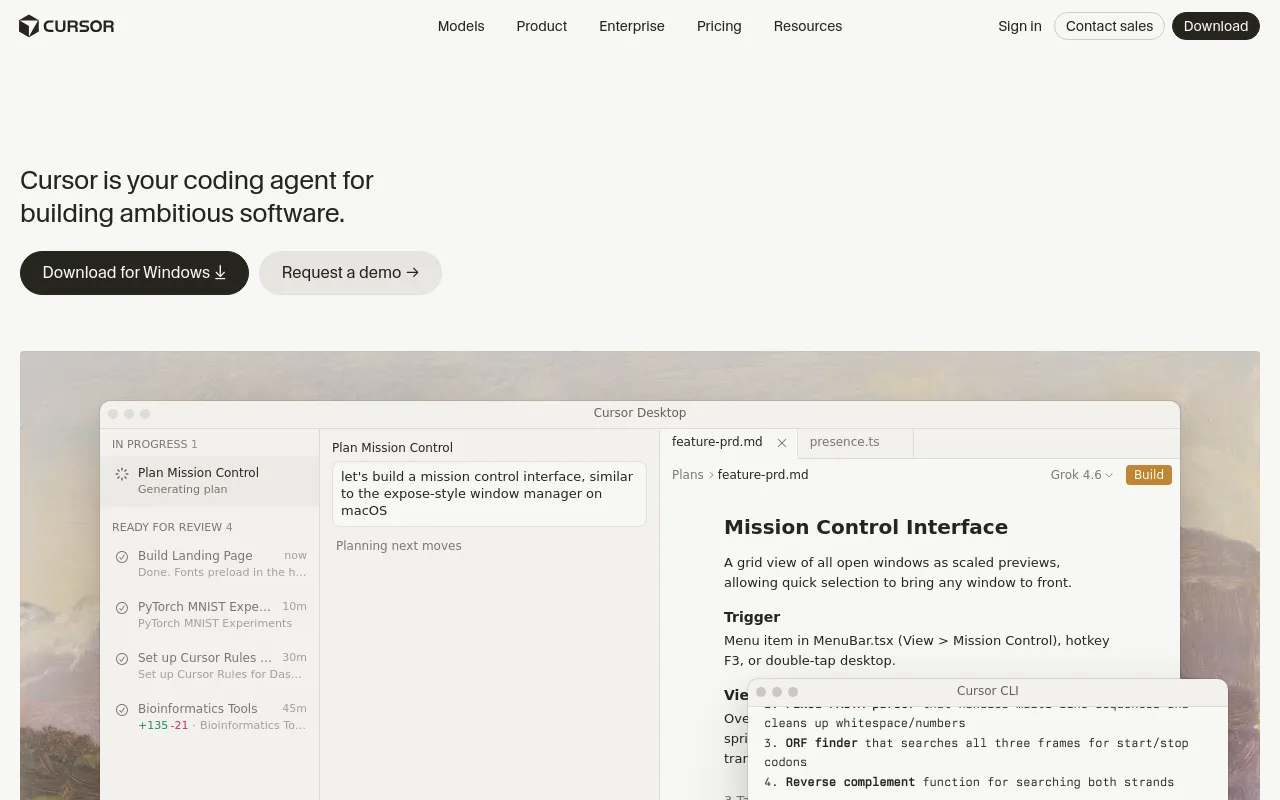
Cursor is a coding agent for building software, delivered as a desktop editor, a terminal CLI, and cloud VMs with SDKs and APIs. It runs frontier models from OpenAI, Anthropic and Google alongside Cursor's own Composer and Grok models.
- Best for
- Professional developers who want a powerful AI agent woven into a familiar VS Code-based editor, with first-class model choice and the option to be hands-off via Cursor Router.
- Not for
- Teams that want a terminal-only, fully scriptable agent to drive from CI, or buyers whose procurement requires long-term multi-vendor neutrality on a 12-18 month horizon now that Cursor's parent Anysphere is part of SpaceX (owner of the rival xAI/Grok models).
- From
- Freethen $20 monthly · $16 billed annually
- Free tier
- YesHobby: free, no credit card required, limited Agent requests and access to Composer, with Agent, Chat and Tab completions on the Auto model. Frontier models, MCPs, skills, hooks, cloud agents and Bugbot start at Pro ($20/mo).
What it does
- Writes code
- YesAuthoring features from a description is the primary job; the agent edits files and runs terminal commands itself.
Cursor is a coding agent for building ambitious software. Use it to understand your codebase, plan and build features, fix bugs, review changes, and…
cursor.com/docs - Debugs and fixes
- YesDebug Mode instruments the code and reasons from runtime evidence before editing, rather than guessing at a fix.
Instead of immediately writing code, the agent generates hypotheses, adds log statements, and uses runtime information to pinpoint the exact issue…
cursor.com/docs/agent/debug-mode - Writes tests
- YesTest generation is named as agent work, and Automations can be configured to add tests on every new commit.
Agents autonomously investigate incidents, detect and fix bugs, and generate tests.
cursor.com/automate - Reviews code
- YesTwo review paths: Bugbot reviews pull requests in the repo host, and Agent Review reviews local changes before commit.
When enabled, Bugbot automatically runs AI code review in the background on new PRs.
cursor.com/bugbot - Whole-codebase work
- YesCloud agents work across multiple repositories in one task and raise a pull request in each repo they touch.
The agent can inspect the full workspace, make coordinated changes, and open pull requests in the repos it changes.
cursor.com/docs/cloud-agent - Ships it
- PartlyIt stops at the branch and pull request; deployment stays with your own CI, though a CLI run in CI can be given git and gh access.
Cloud agents clone your repo from GitHub, GitLab, Azure DevOps Services, or Bitbucket Cloud and work on a separate branch, then push changes to your…
cursor.com/docs/cloud-agent
How much it does unattended
- Runs autonomously
- YesTasks complete without a human in the loop; /goal keeps the agent working towards an objective, and cloud agents run with the laptop closed.
Agent is Cursor's assistant that can complete complex coding tasks independently, run terminal commands, and edit code.
cursor.com/docs/agent/overview - Multi-agent
- YesSubagents run in parallel in their own context windows in editor, CLI and cloud; /multitask and Build in Parallel fan a plan out across them.
Launch multiple subagents simultaneously. Work on different parts of your codebase without waiting for sequential completion.
cursor.com/docs/subagents - Agent permissions
- YesRun Modes set how much runs unasked, with a sandbox and a review classifier; permission tokens allow or deny shell, read, write, web fetch and named MCP tools.
Use them to decide how much autonomy the agent gets for shell commands, MCP tools, and Fetch calls.
cursor.com/docs/agent/security/run-modes
Which models it runs on
- Claude
- YesAnthropic models are first-class, billed from the Other Models pool at Anthropic's own per-token API rates.
Cursor supports frontier models from OpenAI, Anthropic, Google, SpaceXAI, and more.
cursor.com/docs/models-and-pricing - GPT
- YesOpenAI models are available in the picker and priced per million tokens from the Other Models pool.
You get access to frontier models from OpenAI, Anthropic, Google, and Cursor.
cursor.com/docs/integrations/jetbrains - Open models
- PartlyAll inference is hosted: the catalogue includes GLM 5.2 from Z.ai and Kimi K3 from Moonshot, but there is no path to point Cursor at open weights you run.
Models are hosted by the model provider, a trusted partner, or Cursor.
cursor.com/docs/models-and-pricing - Model choice
- YesYou pick the model per request, or hand selection to Auto/Cursor Router; each choice bills at that model's own rate.
When you select a specific third-party model, usage is drawn from the Other Models pool at that model's API rate.
cursor.com/docs/models-and-pricing
Where you use it
- In your editor
- YesCursor Desktop is itself the editor; the same agent also drives JetBrains IDEs and Xcode over the Agent Client Protocol.
Use Cursor's AI agent in IntelliJ IDEA, PyCharm, WebStorm, and other JetBrains IDEs through the Agent Client Protocol (ACP).
cursor.com/docs/integrations/jetbrains - On the command line
- YesA terminal agent with interactive, plan, ask and print modes, sandbox controls and session resume.
Cursor CLI lets you interact with AI agents directly from your terminal to write, review, and modify code.
cursor.com/docs/cli/overview - In your pipeline
- YesThe CLI runs headless in CI with an API key, and Bugbot acts on pull requests as a pre-merge check.
Use Cursor CLI in GitHub Actions and other CI/CD systems to automate development tasks.
cursor.com/docs/cli/github-actions - In a browser
- YesCloud agents are started and managed from the browser, and also from iOS, Slack, GitHub, Bitbucket and Linear.
Cursor Web: Start and manage agents from cursor.com/agents on any device
cursor.com/docs/cloud-agent
Whose machine it runs on
- Self-hosted
- PartlyOnly tool execution moves to your machines: Cursor still runs the agent loop, inference and planning, and the Self-Hosted Pool needs Enterprise. The Enterprise FAQ says there is no on-premises deployment.
Self-Hosted Machines moves Cloud Agent tool execution to a machine you manage.
cursor.com/docs/cloud-agent/self-hosted - Open source
- NoThe Terms of Service forbid deriving or accessing the source; the /licenses page covers only third-party open source components used inside the IDE.
you may not: (i) reverse engineer, disassemble, decompile, decode, or otherwise attempt to derive or gain access to the source code, object code or…
cursor.com/terms-of-service
What it costs to run
- How it meters
- YesTwo meters at once: a seat or plan subscription, plus token usage from two pools priced per million tokens, with on-demand overage billed in arrears.
Teams pricing is based on paid seats and usage. Each paid seat includes monthly usage, and you can continue using Cursor beyond that with on-demand…
cursor.com/docs/account/teams/pricing - Free tier
- YesThe Hobby plan is free with no credit card and limited usage; no sales call, and Bugbot separately offers a 14-day trial.
The Hobby plan gives you access to Cursor's core features with limited usage. You can use Agent, Chat, and Tab completions with the Auto model.
cursor.com/help/account-and-billing/pri… - API access
- YesCloud Agents API is beta on all plans and the TypeScript/Python SDKs are for all users; Admin, Analytics, AI Code Tracking and Bugbot APIs are Enterprise-only, and the India-only Start plan excludes the SDK.
Cursor provides multiple APIs for programmatic access to your team's data, AI-powered coding agents, and analytics.
cursor.com/docs/api - MCP server
- PartlyMCP is inbound only: Cursor is the client that connects to MCP servers. Another agent drives Cursor over ACP (agent acp) or the SDKs, not by querying an MCP endpoint Cursor exposes.
Model Context Protocol (MCP) enables Cursor to connect to external tools and data sources.
cursor.com/docs/mcp - Bring your own key
- YesYour own keys for OpenAI, Anthropic, Google, Azure OpenAI and AWS Bedrock; chat models only, Zero Data Retention does not apply, and Enterprise admins can disable BYOK.
You can add your own API keys so Cursor uses your preferred AI models. This lets you send unlimited AI messages at your own cost through providers…
cursor.com/help/models-and-usage/api-ke…
Buying it for a team
- A company can buy it
- YesTeams is self-serve with centralised billing and administration; Enterprise adds invoice/PO billing and an MSA and DPA.
There are two business plans: Teams and Enterprise (Custom). Teams offers two types of seats: Standard ($40/user/mo) and Premium (5x usage at…
cursor.com/docs/account/teams/pricing - Seat model
- YesBilled per active paid seat with no published floor or ceiling; two paid seat types plus a free admin-only seat, changeable mid-cycle.
Cursor bills per active paid seat, not pre-allocated seats. Add, remove, upgrade, or downgrade users anytime and billing will adjust based on seat…
cursor.com/docs/account/teams/pricing - Pooled budget
- PartlyPer-seat allocations by default and they do not transfer between members; a shared pool is Enterprise-only, tracked cumulatively across the contract term.
Pooled usage gives your Enterprise team a shared usage pool instead of fixed per-user allocations.
cursor.com/docs/enterprise/pooled-usage - Admin controls
- PartlyTeams admins enforce Privacy Mode, team rules and sandbox mode; repository blocklists, model/MCP access controls and auto-run, browser and network controls are Enterprise-only.
Repository, model, and MCP access controls
cursor.com/pricing - Audit log
- PartlyEnterprise only: JSON audit logs in the dashboard, filterable, with optional streaming to SIEM or S3 on request.
Audit logs provide a record of security events and administrative actions. Available on the Enterprise plan, audit logs help you meet compliance…
cursor.com/docs/enterprise/compliance-a… - Single sign-on
- PartlySAML 2.0 at no extra cost on Teams and Enterprise, advertised as SAML/OIDC on the plan card; SCIM provisioning is Enterprise-only and individual plans have no SSO.
SSO with SAML 2.0 is available at no additional cost on Teams and Enterprise plans.
cursor.com/help/security-and-privacy/sso
What happens to your code
- Opt out of training
- YesPrivacy Mode is available on every plan, settable by the user or enforced by a team admin, and is on by default for Enterprise; it does not cover BYOK requests.
With Privacy Mode enabled your code is never used for training by Cursor or other AI model providers.
cursor.com/docs/enterprise/privacy-and-… - Data residency
- PartlyUS-only residency for Enterprise teams, enabled by the account team, restricted to eligible model families and carrying a 10% model-price uplift; EU/EEA and APAC are not yet available.
Today, customers can enroll in US-only data residency (inference, processing, and storage in the US).
cursor.com/docs/enterprise/privacy-and-… - Getting out
- PartlyAccount deletion is self-serve and permanent with all data removed within 30 days, and your code stays local; included usage is not portable, resetting each billing cycle.
All data is removed within 30 days.
cursor.com/help/account-and-billing/del… - Certifications
- YesSOC 2 Type II attestation plus ISO/IEC 27001:2022, ISO/IEC 42001:2023 and AIUC-1; GDPR and CCPA compliance claimed, reports via the trust portal on request.
Cursor holds AIUC-1, ISO/IEC 27001:2022, and ISO/IEC 42001:2023 certifications, along with a SOC 2 Type II attestation.
cursor.com/security
Checked · How we check
Alternatives
GitHub's AI coding assistant and cloud agent, from editor completions to pull-request review.
Open-source coding agent for VS Code, JetBrains, the terminal and CI, running on whichever model you bring.
JetBrains coding agent for the terminal, JetBrains IDEs and CI, running on hosted or your own model keys.
Filed under
Sources and updates
Sources on cursor.com31
- /docs/cloud-agent
- /docs/models-and-pricing
- /docs/account/teams/pricing
- /pricing
- /docs/enterprise/privacy-and-data-governance
- /docs/integrations/jetbrains
- /security
- /
- /automate
- /bugbot
- /data-use
- /docs
- /docs/account/teams/sso
- /docs/agent/debug-mode
- /docs/agent/overview
- /docs/agent/security/run-modes
- /docs/api
- /docs/bugbot
- /docs/cli/github-actions
- /docs/cli/overview
- /docs/cloud-agent/self-hosted
- /docs/enterprise
- /docs/enterprise/compliance-and-monitoring
- /docs/enterprise/pooled-usage
- /docs/mcp
- /docs/subagents
- /help/account-and-billing/delete-account
- /help/account-and-billing/pricing
- /help/models-and-usage/api-keys
- /help/security-and-privacy/sso
- /terms-of-service
Repository2026-08-30
- Stars
- 33,201
- Forks
- 2,288
- Last push
- 2026-05-12
Coverage elsewhere1
Updates3
- Capabilities · Free tier · Terms
- Capabilities · Free tier · Price · Terms
- Alternatives · Summary · Tagline