
Summary
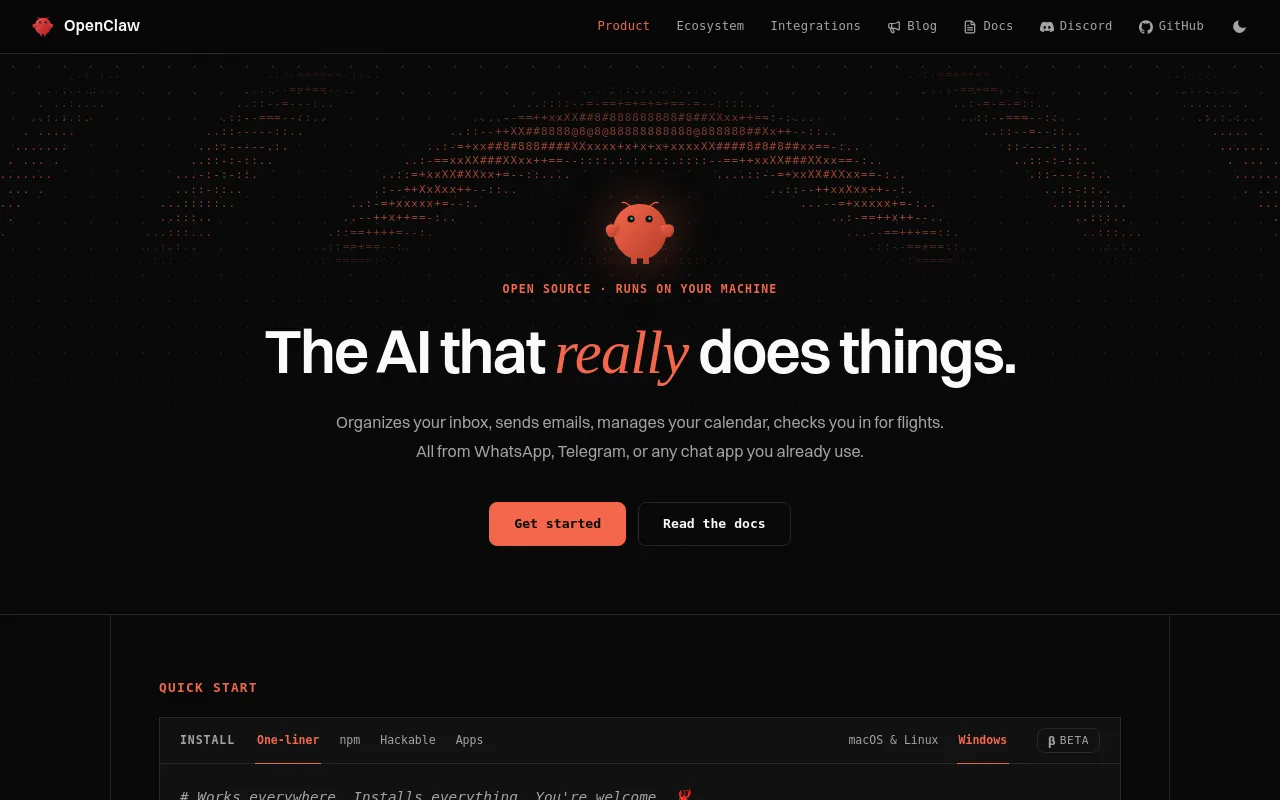
OpenClaw is an open-source personal AI agent that runs on your own machine or server and is driven from chat apps such as WhatsApp, Telegram, Slack or Discord. A Gateway process hosts the agent loop, channels, tools, automation and plugins.
- Best for
- Developers and self-hosters who already run their own infrastructure and want one personal AI agent that reaches WhatsApp, Telegram, Slack, Discord, Signal and iMessage instead of a separate app.
- Not for
- Non-technical users who want a polished, predictable-cost app: setup can take hours, there's no built-in task tracker, and monthly cost can swing from about $20 to $500+ depending on how model billing is routed.
- From
- Free
- Free tier
- YesThe whole product is free and open source with no paid tier; you supply model access yourself (API keys, a provider subscription sign-in, a gateway, or locally run models) and pay those providers directly.
What it does
- Writes code
- YesBuilt-in file and runtime tools let the agent read, write, patch and execute code in its workspace, so it authors code from a chat instruction rather than only advising.
Files and code Read, write, patch, run commands, and use provider-backed code execution.
openclaw.ai/integrations - Reviews code
- PartlyNo built-in review product; the vendor's showcase describes a community-built loop in which OpenClaw reads a PR diff and answers with suggestions and a merge verdict.
OpenCode finishes the change, opens a PR, OpenClaw reviews the diff and replies in Telegram with suggestions plus a clear merge verdict.
docs.openclaw.ai/start/showcase - Whole-codebase work
- PartlyManaged worktrees give a task its own branch and checkout with snapshots and cleanup, which supports repository-wide work, but the vendor never claims a migration carried across a whole codebase.
Managed worktrees give an agent task its own git branch and checkout without placing temporary directories inside the source repository.
docs.openclaw.ai/concepts/managed-workt… - Ships it
- PartlyA Gateway publication broker creates commits, pushed branches and pull requests from a session; nothing in the docs claims it deploys.
Confirmation reuses the original request and checks for an already-created commit, pushed branch, or pull request so a lost response does not blindly…
docs.openclaw.ai/concepts/user-model - Done-for-you service
- NoThere is no service business behind this: you install and operate the software yourself on your own hardware, and the project is stewarded by a foundation rather than sold as an engagement.
Open source · Runs on your machine · Nobody's business model
openclaw.ai
Not established: Debugs and fixes, Writes tests
How much it does unattended
- Runs autonomously
- YesScheduled tasks, heartbeats, background tasks, hooks and standing orders let the agent act on its own between conversations, not only when a human types a message.
Automation Schedule, monitor, trigger, and audit work in the background.
openclaw.ai/integrations - Multi-agent
- YesOne Gateway can run several isolated agents with their own workspaces and sessions, and a bundled team preset wires a coordinator that delegates to researcher, writer and reviewer roles.
The chief of staff remains the human's point of contact: it discovers matching specialists, assigns bounded work, checks their artifacts, and reports…
docs.openclaw.ai/concepts/multi-agent - Agent permissions
- YesExec policy spans deny, allowlist, ask, auto and full modes with approval prompts, allowlist bindings and a deny fallback when no approval UI is reachable, so how much runs unattended is configurable.
Commands run only when policy + allowlist + (optional) user approval all agree.
docs.openclaw.ai/tools/exec-approvals
Which models it runs on
- Claude
- YesAnthropic is a first-class provider, reachable either through an API key or through a Claude subscription route, and Claude CLI can execute the turn as a backend.
Anthropic Claude API and Claude CLI with API-key and subscription-backed routes.
openclaw.ai/integrations - GPT
- YesOpenAI models work through a platform API key or a ChatGPT/Codex sign-in, with the Codex app-server able to run the embedded agent turn itself.
OpenAI OpenAI API plus ChatGPT/Codex sign-in and native Codex execution.
openclaw.ai/integrations - Open models
- YesOpen-weight models run through local servers such as Ollama, LM Studio, vLLM and SGLang, or any compatible endpoint you point the Gateway at.
Local and self-hosted Run models on your own hardware or point OpenClaw at a compatible endpoint.
openclaw.ai/integrations - Model choice
- YesYou pick the model: provider, authentication and execution runtime are separate layers, and per-agent or per-model runtime policy decides which harness executes a turn.
OpenClaw separates model choice, authentication, and execution runtime.
openclaw.ai/integrations
Where you use it
- In your editor
- YesAn Agent Client Protocol bridge over stdio lets an IDE drive a Gateway session; the docs give Zed setup steps for it.
openclaw acp means OpenClaw acts as an ACP server: an IDE or ACP client connects to OpenClaw, and OpenClaw forwards that work into a Gateway session.
docs.openclaw.ai/cli/acp - On the command line
- YesA global npm CLI plus a CLI-only installer give a full terminal surface, with subcommands for onboarding, gateway, agents, approvals, backup and MCP.
Already manage Node.js yourself? Install the CLI globally, then run onboarding.
openclaw.ai/install - In your pipeline
- PartlyA CI job can start and observe agent runs over the Gateway WebSocket RPC protocol, and the publication broker opens pull requests; there is no first-party GitHub Action or PR-triggered reviewer.
Use it when a script, dashboard, CI job, IDE extension, or another process wants to start agent runs, stream events, wait for results, cancel work,…
docs.openclaw.ai/gateway/external-apps - In a browser
- YesThe Gateway hosts a browser Control UI and WebChat where you chat with the agent, manage agents and settings, and watch what the Gateway is doing.
Chat with your assistant in the browser or the app, and check what the Gateway is doing.
openclaw.ai/install
Whose machine it runs on
- Self-hosted
- YesSelf-hosting is the only deployment model: the Gateway runs on your macOS, Windows or Linux machine, a VPS, a container or Kubernetes, with no vendor-operated tier.
The Gateway runs on desktop and server operating systems. Companion nodes connect mobile and native device capabilities without hosting the Gateway…
openclaw.ai/integrations - Open source
- YesThe source is public and installable as a git checkout you can build and modify, and the project is stewarded by an independent non-profit rather than a vendor.
Builds a pnpm checkout of the GitHub repository you can read and hack on.
openclaw.ai/install
What it costs to run
- How it meters
- NoThe vendor meters nothing at all: no seats, credits, tokens or tasks are billed, and your only running cost is whatever the model provider you connect charges.
No subscription. No hosted tier. No token. Stewarded by an independent 501(c)(3).
openclaw.ai - Free tier
- YesYou download an installer or run one command and use the whole product without a sales call, an account or a paid tier; only model access is on you.
Download the desktop app or run one command. OpenClaw installs Node.js and everything else it needs, then walks you through setup.
openclaw.ai/install - API access
- YesThe Gateway can expose OpenAI-compatible chat completions, models and embeddings endpoints plus a separate responses API, but the surface ships off and you must enable it in config.
The Gateway can serve a small OpenAI-compatible Chat Completions surface. It is disabled by default.
docs.openclaw.ai/gateway/openai-http-api - MCP server
- YesMCP works both directions: OpenClaw connects to third-party MCP servers over stdio, SSE or streamable HTTP, and can itself serve as an MCP server to another client.
For the reverse — exposing OpenClaw channel conversations to another MCP client — use openclaw mcp serve.
docs.openclaw.ai/tools/mcp - Bring your own key
- YesBringing your own inference is the normal path: your API keys, your provider subscription sign-in, your gateway or models running on your own hardware.
Bring API keys, sign in with supported subscriptions, route through a gateway, or run models locally.
openclaw.ai/integrations
Buying it for a team
- Pooled budget
- YesOne gateway is one trust domain: teammates work through its provider credentials, so spend and quota land on that one account, and usage surfaces report per provider account rather than per person.
A gateway is one trust domain. Everyone who can message a tool-enabled agent shares that agent's delegated tool authority, and everyone with operator…
docs.openclaw.ai/start/teams - Admin controls
- YesTool profiles, allow and deny lists, per-agent restrictions, sandbox rules and exec allowlists constrain what the agent may call, and the policy is applied before the model sees a tool.
Tool policy is enforced before the model call. If policy removes a tool, the model does not receive that tool's schema for the turn.
docs.openclaw.ai/tools - Audit log
- PartlyThere is a bounded audit ledger of runs, tool actions and approval decisions, but it is metadata only and the richer execution-identity recording is off by default and must be enabled.
The Gateway keeps a bounded, metadata-only audit ledger in the shared OpenClaw state database.
docs.openclaw.ai/gateway/audit - Single sign-on
- PartlyOpenClaw has no built-in SAML or OIDC login; instead it delegates authentication to an identity-aware reverse proxy such as Pomerium or oauth2-proxy and maps the forwarded identity to operator scopes.
Your reverse proxy authenticates users (OAuth, OIDC, SAML, etc.).
docs.openclaw.ai/gateway/trusted-proxy-…
What happens to your code
- Opt out of training
- PartlyNo OpenClaw cloud sits in the path, so the vendor receives nothing to train on, but whichever model provider your gateway forwards to handles that data under its own policy.
Data is sent to the gateway you choose, not to a central OpenClaw cloud.
openclaw.ai/privacy - Data residency
- YesYou choose the jurisdiction because you choose the host: state, sessions and memory live on the gateway machine you run, whether that is a laptop, a tailnet box or your own server.
OpenClaw sends commands, content, and device capability data to the gateway you configure. That gateway may be local, on your tailnet, self-hosted,…
openclaw.ai/privacy - Getting out
- YesA first-class backup command exports state, config, credentials and sessions to a verifiable archive, with SQLite snapshots and versioned Git dumps, and restore writes only to a fresh target.
Create a local backup archive for OpenClaw state, config, auth profiles, channel/provider credentials, sessions, and optionally workspaces.
docs.openclaw.ai/cli/backup
Not established: Certifications
30 sourced claims on this page. Checked 2026-09-21. How we check.
Alternatives
Where we would send a reader instead, in that listing's own words.
Slack-native AI teammate that connects to company tools and does delegated work, billed per seat with pooled credits.
Workflow automation platform for building and running AI agents on a visual canvas, with code where needed.
Python and TypeScript library that runs Claude Code's agent loop and tools inside your own application.
Filed under
Sources and updates
The pages we read35
Every fact below comes from the vendor. Nothing here is independently corroborated yet.
- openclaw.ai/integrations8 fields
- docs.openclaw.ai/start/why-openclaw7 fields
- docs.openclaw.ai/5 fields
- openclaw.ai/install4 fields
- openclaw.ai/3 fields
- docs.openclaw.ai/start/teams3 fields
- docs.openclaw.ai/concepts/features2 fields
- docs.openclaw.ai/gateway/external-apps2 fields
- openclaw.ai/privacy2 fields
- docs.openclaw.ai/automation/cron-jobs1 field
- openclaw.ai/blog/openclaw-2-accidentally1 field
- docs.openclaw.ai/cli1 field
- docs.openclaw.ai/cli/acp1 field
- docs.openclaw.ai/cli/approvals1 field
- docs.openclaw.ai/cli/backup1 field
- docs.openclaw.ai/cli/mcp1 field
- docs.openclaw.ai/concepts/managed-worktrees1 field
- docs.openclaw.ai/concepts/multi-agent1 field
- docs.openclaw.ai/concepts/user-model1 field
- docs.openclaw.ai/gateway/audit1 field
- docs.openclaw.ai/gateway/authentication1 field
- docs.openclaw.ai/gateway/openai-http-api1 field
- docs.openclaw.ai/gateway/security1 field
- docs.openclaw.ai/gateway/trusted-proxy-auth1 field
- docs.openclaw.ai/providers1 field
- docs.openclaw.ai/providers/anthropic1 field
- docs.openclaw.ai/providers/openai1 field
- docs.openclaw.ai/reference/api-usage-costs1 field
- docs.openclaw.ai/reference/token-use1 field
- docs.openclaw.ai/start/showcase1 field
- docs.openclaw.ai/tools1 field
- docs.openclaw.ai/tools/exec-approvals1 field
- docs.openclaw.ai/tools/mcp1 field
- docs.openclaw.ai/tools/subagents1 field
- docs.openclaw.ai/web/control-ui1 field
Updates4
- Capabilities · Commercial terms · Free tier · Price
- Capabilities · Commercial terms · Free tier
- Capabilities · Commercial terms · Free tier
- One-liner · Summary