
Not for Engineers who need an open, self-hostable framework with a public API to build on, or any team that requires flat, predictable pricing without metered credits.
Changed since our last check
- Writes code: now Partly. It was Yes when we checked on .
- Debugs and fixes: now Partly. It was Yes when we checked on .
- Claude: now Yes. It was Partly.
- GPT: now Yes. It was Partly.
The facts, with their sources
What it does
- Writes code
- PartlyCode authoring is a separate product line, Lindy Build, which generates full-stack apps from a description; the Slack teammate itself is sold for business work, not for writing software in your repository.Was Yes before our last check.
Build apps as powerful as they are beautiful, with frontend, backend, databases, and integrations fully built in.
lindy.ai/app-builder - Debugs and fixes
- PartlyLindy Build runs QA agents that exercise the app it generated and repair what they break, so debugging is scoped to Lindy's own generated app rather than to an existing customer codebase.Was Yes before our last check.
Skip tedious debugging with QA agents that click through your app and fix broken code.
lindy.ai/app-builder - Writes tests
- PartlyQA agents exercise the app in a browser; the vendor never claims it produces test code you keeplindy.ai/app-builder
- Reviews code
- PartlyCode review appears only as a listed engineering use case for the Slack teammate; Lindy documents no diff or pull-request review surface, review policy, or per-PR workflow anywhere in its docs.
Ticket triage, bug investigation, code review, oncall.
docs.lindy.ai/use-cases - Ships it
- PartlyLindy ships what it builds to its own hosted lindy.link URL and rebuilds on the same address, so work reaches an audience without a deploy step, but it does not deploy into your own infrastructure.
It builds the thing, hosts it, and gives you a link on its own lindy.link address.
docs.lindy.ai/teammate/artifacts - Done-for-you service
- NoThis is self-serve software you run yourself: sign up, install the Slack app, connect tools. The only human service published is onboarding and enablement, and that starts on Pro.
Live onboarding on Pro and up
docs.lindy.ai/teammate/lindy-teammate-b…
How much it does unattended
- Runs autonomously
- PartlyRoutines run on a schedule or trigger with nobody present, and Lindy pulls data and drafts on its own, but its docs state that actions which write or send stop for a human approver first.
set a schedule or trigger once, and Lindy runs the whole job for you on autopilot
docs.lindy.ai/teammate/routines - Multi-agent
- PartlyLindy Build pairs the builder with separate QA agents working the same app; the Teammate product gives each person a private Lindy plus one shared team Lindy, and the vendor describes no orchestration between them.lindy.ai/app-builder
- Agent permissions
- YesEvery connected account carries a guardrail of Always allow, Require approval or Don't offer, and reads are never gated. Approval is enforced in shared Slack threads, while DMs and web chat are not.
Each connected account has one setting: Always allow or Ask for approval, applied to every action that writes or sends. Read-only actions never need…
docs.lindy.ai/teammate/setup
Which models it runs on
- Claude
- YesAnthropic models are named on the enterprise page as selectable per job, and Lindy's billing docs say every plan, including trial seats, gets every model with no upsell wall.Was Partly before our last check.
Anthropic, OpenAI, Gemini and the top frontier models. Pick the right one per job, and control access.
lindy.ai/enterprise - GPT
- YesOpenAI is named alongside Anthropic and Gemini as a model family a user picks per task, and model choice is not gated by plan according to Lindy's billing documentation.Was Partly before our last check.lindy.ai/enterprise
- Model choice
- YesThe buyer picks the model per task from a dropdown and can set a default, and Lindy also picks one itself to control credit spend; no tier restricts which models are reachable.
Every plan, trial seats included, gets all models. There's no upsell wall on model choice.
docs.lindy.ai/teammate/lindy-teammate-b…
Where you use it
- In your editor
- NoThe documented surfaces are Slack, the chat.lindy.ai web app, iMessage and SMS, and a Chrome extension that works only inside Gmail. No editor or IDE plugin appears anywhere in the docs.
The Chrome extension is currently Gmail only. Outlook is coming soon.
docs.lindy.ai/features/chrome-extension - On the command line
- NoThe nearest thing to a command line is a set of Slack slash commands for managing your connection and usage; Lindy publishes no terminal client, shell binary or local CLI.
Slash commands for managing your Lindy connection, context, and usage right inside Slack.
docs.lindy.ai/teammate/slack-commands - In your pipeline
- NoGitHub is one of the 1,000+ integrations, but no pull-request or CI surface is claimed in the enumerated surface list
Works wherever you work
docs.lindy.ai/index - In a browser
- Yeschat.lindy.ai is the signed-in web application: a Home page with a chat box, meetings, routines, files, settings and billing, and the account the Chrome extension signs in against.
Home isn't a dashboard of buttons to configure. It's where you talk to Lindy and see what it's been doing for you.
docs.lindy.ai/teammate/home
Whose machine it runs on
- Self-hosted
- NoLindy runs only on the vendor's own cloud. Nothing in the plan comparison offers a customer-hosted deployment, and even Enterprise adds governance controls rather than an infrastructure option.
Lindy runs on enterprise-grade cloud infrastructure with hardened access controls. Your data doesn't mingle with anyone else's.
lindy.ai/security - Open source
- NoNo repository or source availability anywhere on the site; the product is described only as vendor-run cloud infrastructurelindy.ai/security
What it costs to run
- How it meters
- YesTwo meters run at once: a per-user seat price, and credits consumed only while Lindy works, priced at roughly a cent each with published bands of 2-250, 250-1,000 and 1,000-2,500 per job.
Credits measure the work Lindy does, about one cent each. You only spend them when Lindy is actually working, and bigger jobs use more.
docs.lindy.ai/pricing - Free credit
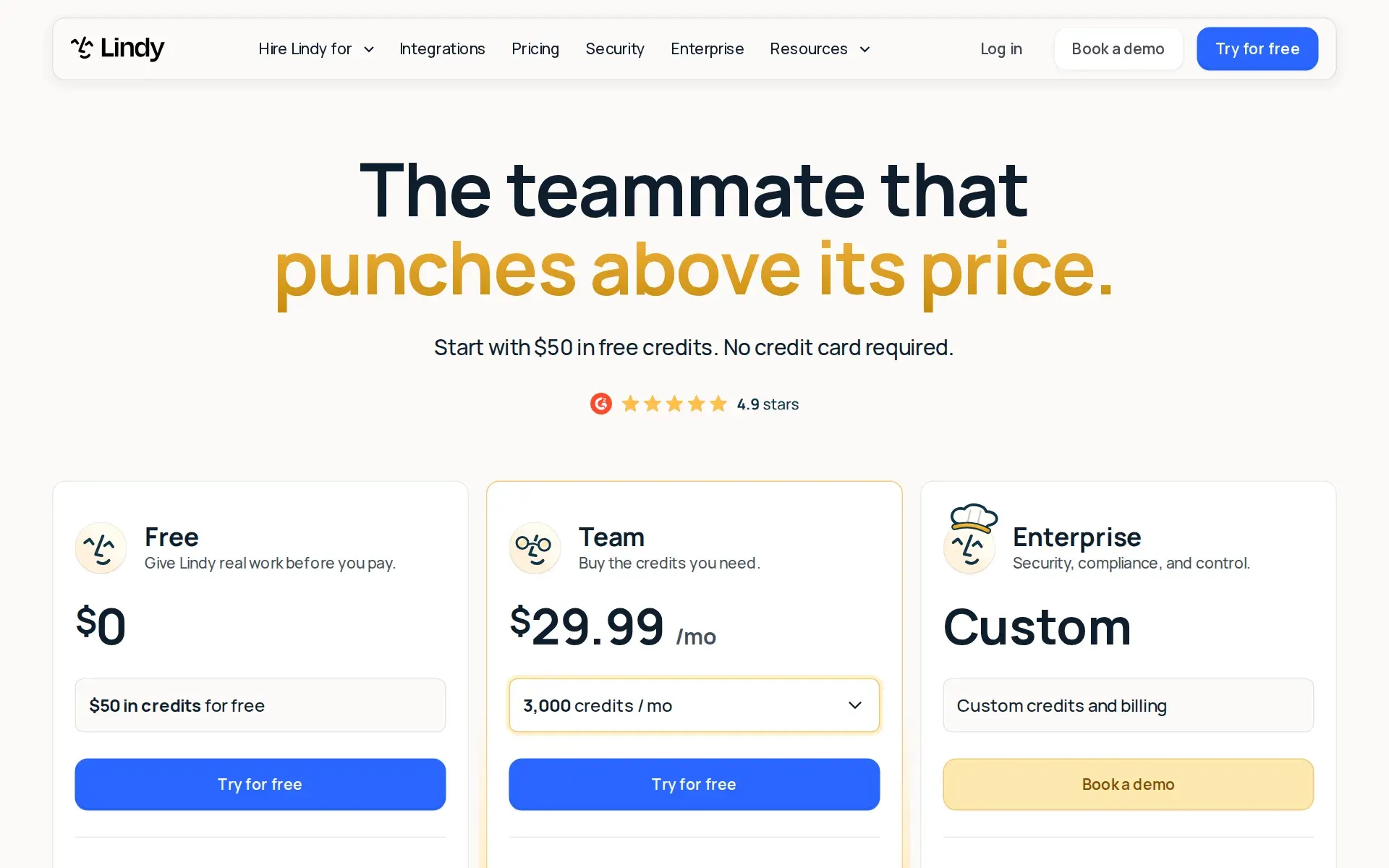
- Yes$50 of free usage, once, at signup.
$50 in credits for free … Free credits last 7 days
lindy.ai/pricing - Free tier
- PartlyThere is no standing free plan. A free first week exists only for someone who joins by @mentioning Lindy in a team Slack; anyone signing up directly is billed immediately, and the week is one-time per person.
The free week applies to the Slack path. Direct signups and people who join by signing up are billed right away.
docs.lindy.ai/teammate/lindy-teammate-b… - MCP server
- PartlyMCP runs inbound only: you point Lindy at a hosted MCP server and it builds an action per published tool, with per-connection sharing and approval settings. Lindy publishes no MCP server of its own for another agent to query.
Point Lindy at a hosted MCP server and it builds actions from the tools that server publishes.
docs.lindy.ai/integrations/mcp - Bring your own key
- PartlyYou can store your own third-party API keys as credentials that Lindy uses when running shell commands and code, but inference is bought through Lindy credits: no bring-your-own model key or own-cloud option is published.
Credentials are what Lindy reaches for when it runs shell commands and code.
docs.lindy.ai/integrations/credentials
Buying it for a team
- A company can buy it
- YesThe unit of sale is a workspace, not an individual: one subscription, one bill, member and admin roles, an owner who holds payment and deletion rights, and admin-set credit allocations.
Teammate is one workspace subscription: every seat is on a single bill and all credits pool together.
lindy.ai/pricing - Seat model
- YesPriced per user at 29.99, 99.99 or 199.99 dollars a month with no published seat floor or ceiling; a seat is taken by anyone who uses Lindy, stays billed until an admin removes it, and is not prorated mid-cycle.
Anyone who uses Lindy takes a seat, whether they sign up directly, join your workspace, or @mention Lindy in Slack.
lindy.ai/pricing - Pooled budget
- YesOne balance for the whole workspace: each seat contributes its allocation, the shared and personal Lindys both draw from it, and admins can cap an individual's draw or leave it unlimited.
Credits are pooled at the workspace level. Each seat adds its plan's allocation to one shared balance the whole team draws from, and admins can cap…
docs.lindy.ai/pricing - Admin controls
- YesAdmins toggle meeting recording, email drafting and triaging workspace-wide, set per-member credit limits, choose which channels and folders Lindy may draw on, and decide which integrations write without asking.
Admins can control which features are available to users across the workspace.
docs.lindy.ai/start-here/team-setup - Audit log
- PartlyLindy says every action it takes is logged and visible, but audit logs as an administrative feature are named only in the Enterprise column of the plan table and the Enterprise-only list in the docs.
SSO, SCIM, audit logs, and HIPAA/BAA on Enterprise
docs.lindy.ai/teammate/lindy-teammate-b… - Single sign-on
- PartlySingle sign-on with SCIM provisioning is an Enterprise-only line, marked absent on Plus, Pro and Max in the comparison table. Lindy never names the protocol, so SAML versus OIDC is unstated.
Access through your identity provider, with user provisioning from a single source of truth.
lindy.ai/enterprise
What happens to your code
- Opt out of training
- YesTraining exclusion is the default rather than a setting to find: Lindy states neither it nor its model providers train on customer data, and repeats the claim in its docs and pricing FAQ.
Lindy does not sell your data. Lindy and our providers do not use your data to train AI models.
lindy.ai/security - Data residency
- PartlyThe vendor says residency requirements are supported but names no region, jurisdiction or hosting provider anywhere on the site or in the docs, and offers no self-hosted alternative.
You control how your data is processed and stored. Data deletion requests, access rights, and residency requirements are all supported.
lindy.ai/security - Getting out
- PartlyUnused plan credits expire every cycle while purchased top-ups carry over, and deletion and access rights are offered; we found no documented bulk export, and cancelling leaves the workspace live only to the end of the paid cycle.
Your plan's credits refresh at the start of each billing cycle and don't roll over, so every month starts fresh. Purchased top-up credits are the…
docs.lindy.ai/pricing - Certifications
- YesSOC 2 Type II audited by Johanson Group, plus GDPR, HIPAA and PIPEDA, with a Trust Center for reports; the signed BAA for HIPAA is reserved for the Enterprise plan.
Lindy is AICPA SOC 2 Type II, GDPR, HIPAA, and PIPEDA compliant.
docs.lindy.ai/resources/security
Plans and pricing
Price and terms
- Free trial
- Yes7 days
What needs a higher plan
- Enterprise
- Audit log, Single sign-on
From lindy.ai/pricing, checked .
The Agents Index digest
Price changes and new agents like Lindy, at most once a week.
Last issue: Devin vs Claude Code: Which Should You Pick? · 13 October 2026
Works with
 Claude
 GPT
GPT
For AI agents
- MCP server
- Partly
Screenshots
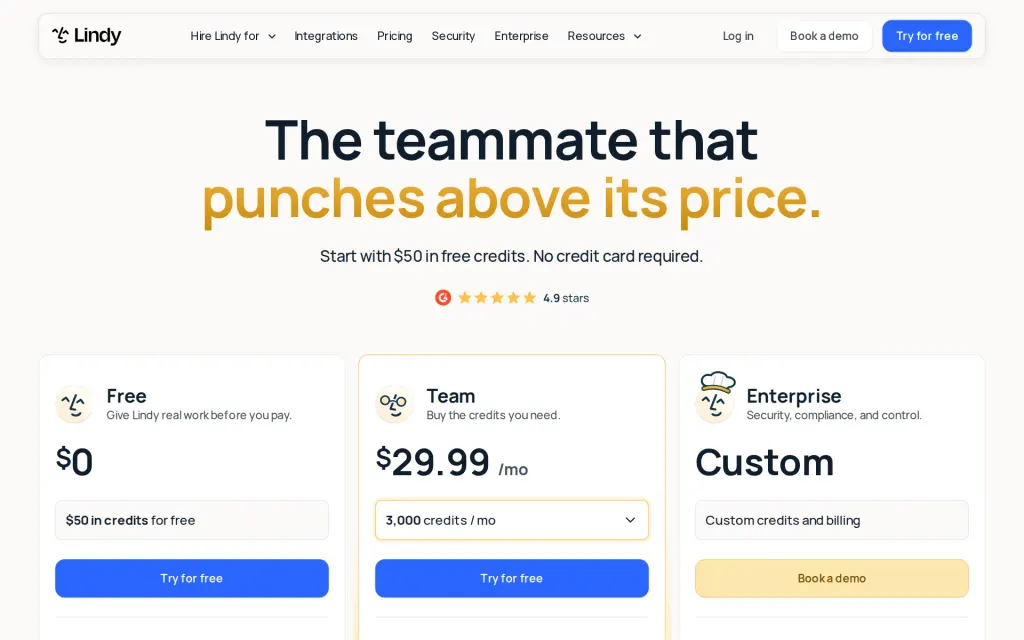
Pricing page, lindy.ai, captured 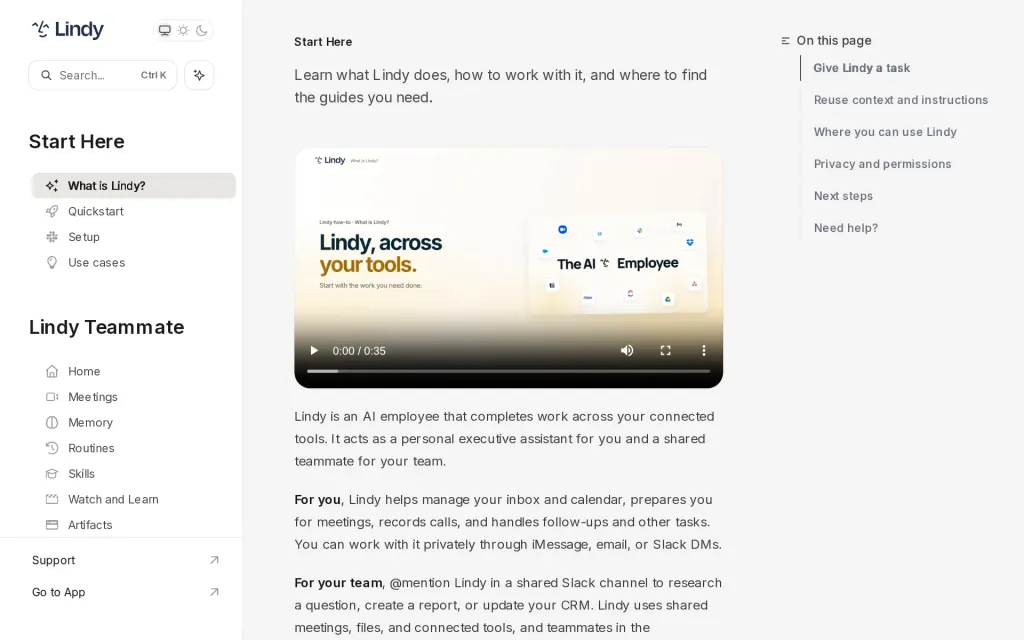
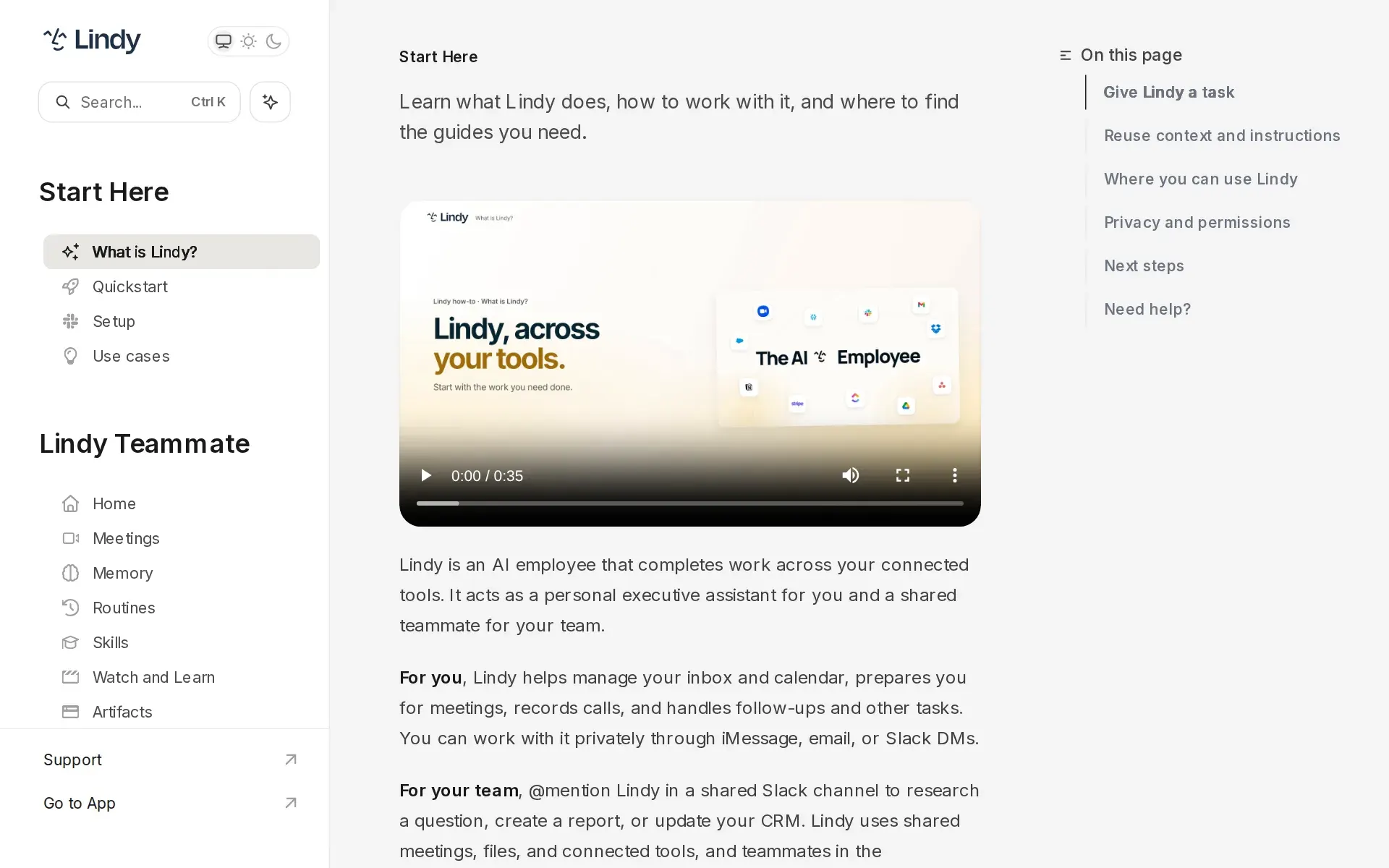
Docs, lindy.ai, captured
Filed under
Sources and updates
Last changed
Sources20
- lindy.ai/pricing
- lindy.ai/enterprise
- lindy.ai/app-builder
- lindy.ai/security
- docs.lindy.ai/pricing
- docs.lindy.ai/teammate/lindy-teammate-billing
- docs.lindy.ai/index
- docs.lindy.ai/integrations/credentials
- docs.lindy.ai/integrations/overview
- lindy.ai/
- docs.lindy.ai/features/chrome-extension
- docs.lindy.ai/integrations/mcp
- docs.lindy.ai/resources/security
- docs.lindy.ai/start-here/team-setup
- docs.lindy.ai/teammate/artifacts
- docs.lindy.ai/teammate/home
- docs.lindy.ai/teammate/routines
- docs.lindy.ai/teammate/setup
- docs.lindy.ai/teammate/slack-commands
- docs.lindy.ai/use-cases
The Agents Index in AI answers0 of 1
- PerplexityDoes not cite The Agents IndexAsked
Lindy alternatives
on Other sources: alternativeto.net, saner.ai, apollo.io, g2.com, hackceleration.com, openalternative.co
Updates5
- Capabilities · Free tier · Plan limits · Price
- Capabilities · Free tier · Terms
- Free tier · Price · Terms
- Capabilities · Free tier · Price · Terms
- Alternatives · Documentation link · LinkedIn link · Summary · Tagline
Is this yours? Claim it free and edit it in your dashboard, or feature it in Agent platforms.