
Summary
Muse Code is Meta's first-party coding agent for the terminal and CI, built on the Muse Spark model and installed as a native `muse` binary. It plans, edits files and runs shell commands inside an OS-enforced sandbox with approval prompts on by default.
- Best for
- Cost-sensitive teams willing to trade code privacy for Contributor tier's roughly 12x cheaper input and 21x cheaper output, or anyone with a large multi-part refactor that benefits from several sub-agents working in parallel isolated worktrees.
- Not for
- Windows-native developers with no WSL2 setup. Teams that need an established independently benchmarked track record rather than a three-month-old beta. Buyers who need a hard spend cap or a flat subscription plan. Teams that want a dedicated IDE or GUI surface rather than terminal-only access.
- From
- $5/monthbilled monthly
What it does
- Writes code
- YesAuthors and edits code from a plain-language instruction in a project directory, running as an interactive terminal session or a single headless prompt.
Run it in a project and it plans, edits, and runs commands to do a task, with approvals and an OS sandbox on from the first run.
dev.meta.ai/docs/muse-code - Debugs and fixes
- YesThe vendor positions debugging as a core job alongside building, and the agent can run test suites and summarise failures headlessly.
A coding agent for your most complex coding workstreams. Build, debug and ship with Muse Code.
dev.meta.ai/lp/muse-code - Reviews code
- PartlyReview happens inside its own runs — background reviewer and verification agents check the work — rather than as a review of a diff someone else wrote in a pull request.
Multiple agents coordinate on every task. Workers in parallel, reviewers in the background, so you ship faster without sacrificing quality.
dev.meta.ai/lp/muse-code - Whole-codebase work
- PartlyIt splits a large job across parallel subagents with optional Git worktree isolation, which fits a repository-wide migration, but the vendor documents no repository indexing and caps a tree at eight concurrent agents by default.
Distribute a large job across a team of agents that work in parallel, and steer them from one place. A lead session spawns child agents, hands each a…
dev.meta.ai/docs/muse-code/extending - Ships it
- PartlyIt can run shell commands including git operations when you ask, but by design it stops short of committing or pushing on its own, and no deployment surface is documented.
it won't commit, amend, or push your work unless you ask it to in the session, it keeps scratch files outside your checkout, and it reverts…
dev.meta.ai/docs/muse-code/configuration - Done-for-you service
- NoThis is self-serve software you install and run yourself with a one-line installer; Meta staff do not build or operate the agent for you.
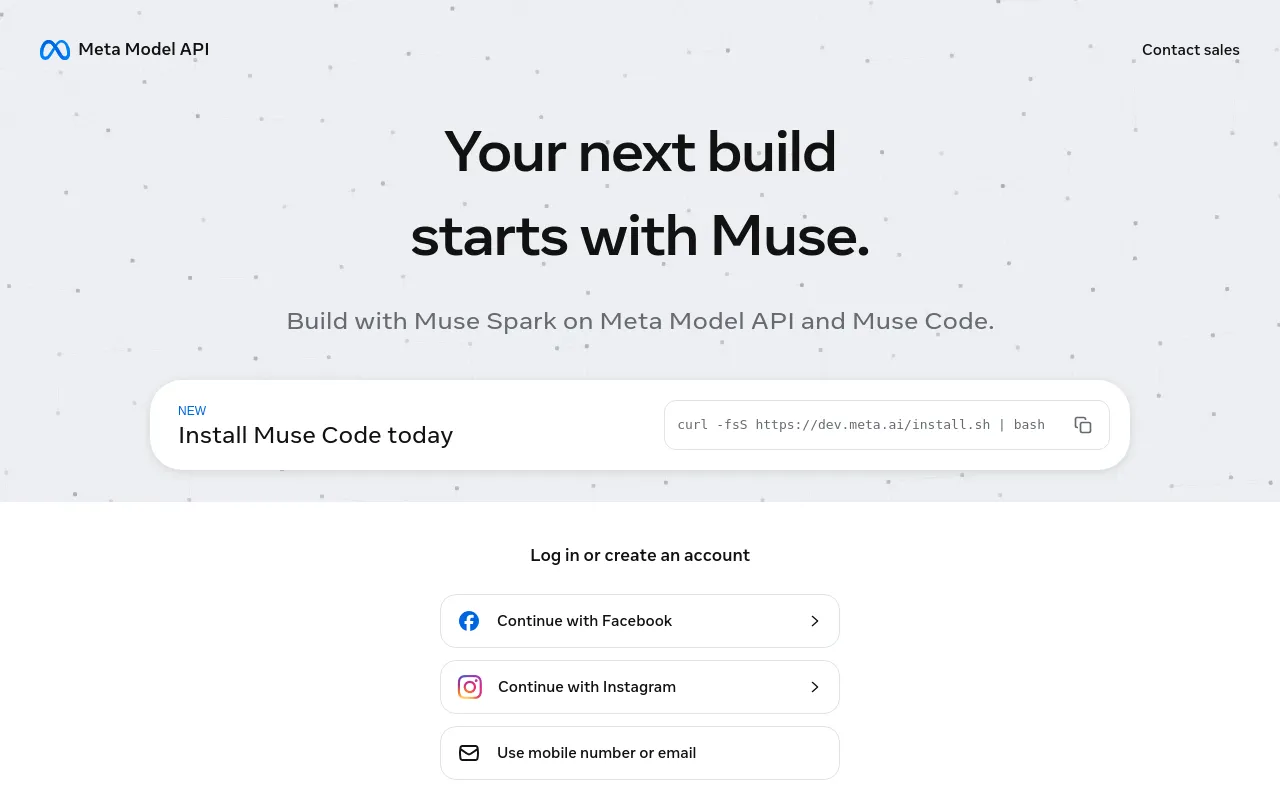
Install Muse Code with the one-line installer. It puts a native `muse` binary on your path.
dev.meta.ai/docs/muse-code
Not established: Writes tests
How much it does unattended
- Runs autonomously
- YesA headless run takes one prompt to completion with approvals disabled, and session goals keep the runtime queueing follow-up work until the objective is met.
`muse exec` takes one prompt, runs it to completion, and exits, so you can drive the agent from a script, a job, or a CI pipeline
dev.meta.ai/docs/muse-code/extending - Multi-agent
- YesA lead session spawns child agents that can themselves spawn grandchildren, with eight concurrent agents per tree by default and a configurable ceiling of 64.
One agent tree can execute eight agents at once by default, including the root agent. Set `agents.execution_capacity` from 1 through 64 in…
dev.meta.ai/docs/muse-code/extending - Agent permissions
- YesFour permission profiles from read-only to unrestricted, three approval modes, stage-by-stage shell review and per-destination network approval decide what runs before it asks.
Approval and sandboxing are on by default. The agent asks before any risky action, and every shell command runs inside an OS-enforced sandbox.
dev.meta.ai/docs/muse-code/permissions
Which models it runs on
- Claude
- NoThe plan table and the model-ID pricing enumerate only Muse Spark; no third-party model is offered inside Muse Code.
Pricing is determined by model ID, so developers can pick the right tier based on their needs: model to muse-spark-1.2-contributor ... model to…
developer.meta.com/ai/resources/blog/bu… - GPT
- NoSame closed model enumeration: only the two Muse Spark 1.2 model IDs are selectable; OpenAI compatibility is SDK shape, not an OpenAI model.
Point your existing OpenAI SDK compatible client at Meta Model API.
developer.meta.com/ai/products/muse-code - Open models
- NoMuse Code runs Muse Spark, a hosted proprietary model; the vendor's open-weight model, Muse Glimmer, is offered on Model API rather than in Muse Code.
Muse Code is a fast and accessible coding agent powered by Muse Spark.
developer.meta.com/ai/products/muse-code - Model choice
- PartlyYou pick among Muse Spark versions per run or mid-session, and the reasoning docs imply other providers exist, but no alternative provider is named or configured anywhere in the Muse Code docs.
The default model is `muse-spark-1.2`. Override it per run with `--model`, or switch mid-session with the `/models` slash command
dev.meta.ai/docs/muse-code/configuration
Where you use it
- In your editor
- NoThe vendor describes exactly two run surfaces, interactive terminal and headless, with no editor or IDE extension mentioned anywhere in the Muse Code documentation set.
The same binary runs two ways: - **Interactive**: `muse` opens a terminal UI for a back-and-forth session with slash commands, approvals, and live…
dev.meta.ai/docs/muse-code - On the command line
- YesThe terminal is the primary surface: a native binary with a TUI, slash commands, live approvals and a command palette on macOS, Linux and Windows.
**Interactive**: `muse` opens a terminal UI for a back-and-forth session with slash commands, approvals, and live status.
dev.meta.ai/docs/muse-code - In your pipeline
- PartlyIt runs unattended in a pipeline with an API key and emits JSONL events, but the sandbox needs working bubblewrap on Linux and no pull-request integration is documented.
The [sandbox] must be able to run on the CI runner, which on Linux needs a working bubblewrap and a non-musl build. Without it, every sandboxed shell…
dev.meta.ai/docs/muse-code/extending - In a browser
- NoMuse Code itself has no hosted web surface; the dev.meta.ai dashboard issues keys and manages billing for the Model API rather than running agent sessions.
Muse Code is Meta's coding agent for the terminal and CI, built for [Muse Spark](https://dev.meta.ai/docs/models#muse-spark).
dev.meta.ai/docs/muse-code
Whose machine it runs on
- Self-hosted
- NoThe binary runs locally but every turn calls Meta's hosted model and refuses to start without a Meta credential, so inference cannot be run on your own infrastructure.
Muse Code needs a Meta credential before it can call the model.
dev.meta.ai/docs/muse-code/auth - Open source
- PartlyThe client SDK and the MSP protocol declarations are MIT-licensed and public; the muse CLI itself ships as a prebuilt native binary with no published source.
Released under the MIT License — see LICENSE.
github.com/meta-models/muse-code-sdk
What it costs to run
- How it meters
- YesTwo metering models: pay-as-you-go per input, cached and output token, or a flat monthly subscription tied to the CLI's own key with prompt allowances instead of tokens.
Muse Code supports 2 ways to pay for usage: - **Pay-as-you-go**: billed per token consumed with your Meta Model API key.
dev.meta.ai/docs/muse-code/subscriptions - Free tier
- YesSelf-serve throughout: install the CLI, sign in with a Meta account, then pay per token or subscribe from $5.00/month. No sales call, and no free Muse Code allowance is published.
Meta Model API billing is usage-based: you're billed for the tokens your requests consume.
dev.meta.ai/docs/muse-code/auth - API access
- YesBeyond the CLI, a versioned session protocol plus a published TypeScript SDK lets your own program drive a Muse Code session; the underlying model is separately callable over the Model API.
you can drive a Muse Code session from your own program over a stable, versioned session protocol. `muse serve` runs the protocol, and `muse schema`…
dev.meta.ai/docs/muse-code - MCP server
- PartlyMuse Code is an MCP client — it connects stdio and streamable-HTTP servers, with OAuth sign-in — but the vendor documents no MCP server exposing Muse Code to another agent.
Connect external tools through the Model Context Protocol (MCP). Declare servers in the `mcp_servers` block of your [settings file]
dev.meta.ai/docs/muse-code/extending - Bring your own key
- PartlyYou supply your own Meta Model API key, including in CI from a secret store, but inference still runs on Meta's hosted endpoint and no third-party key or own-cloud option is documented.
For a non-interactive environment, or to avoid the browser flow, authenticate with an API key. Set it in the environment:
dev.meta.ai/docs/muse-code/auth
Buying it for a team
- A company can buy it
- YesAccounts are organised into teams with admins who hold payment methods and business information; pay-as-you-go billing is a team-level function, not an individual one.
Only team admins can manage payment methods and business information.
dev.meta.ai/docs/muse-code/auth - Seat model
- NoNothing is priced per seat: billing is per token, per image or per audio minute, and the subscription is a flat monthly rate on one account.
Meta Model API bills text models per token, image generation per image, and Muse Voice Transcribe per minute of audio processed, with no minimums or…
dev.meta.ai/docs/pricing-rate-limits - Pooled budget
- YesRate and token quotas are shared across the whole team rather than allocated per key, so multiple developers draw on one pool on pay-as-you-go.
Limits apply **per team, not per API key**. If you use multiple keys in one team, all requests, tokens, images, and audio minutes count toward the…
dev.meta.ai/docs/pricing-rate-limits - Admin controls
- YesAdministrators can validate and apply managed defaults and policy documents and point the agent at a centrally administered hooks file, on top of per-session permission profiles.
Enterprise administrators can validate a managed configuration document with `muse config validate --plane <defaults|policy> --file <path>`, or check…
dev.meta.ai/docs/muse-code/configuration - Audit log
- PartlyEvery run is an append-only event log covering model calls, tool calls and approval decisions, exportable as JSON — but it is a local session record, not a tenant-wide log of administrative action.
Muse Code records every run as an append-only event log: model calls, tool calls and their results, and approval decisions.
dev.meta.ai/docs/muse-code/interactive - Single sign-on
- NoExactly two documented sign-in paths: Meta browser sign-in or an API key. No SAML or OIDC, and Meta Managed Account users must use an API key.
Muse Code needs a Meta credential before it can call the model. On first run it prompts you to choose how to authenticate: a browser sign-in or an…
dev.meta.ai/docs/muse-code/auth
What happens to your code
- Opt out of training
- YesStandard-tier models are contractually excluded from training, and the discounted contributor models that do train on your content are opt-in by model id and can be left behind by upgrading.
Standard Services: Meta does not use your Content from Standard Services to train Meta Models.
dev.meta.ai/legal/commitments - Getting out
- PartlySessions export locally as transcripts or full JSON trajectories and account data can be requested from support within about five business days, but the export is a support ticket rather than self-serve.
Your download will include: Account profile data (name, email, team membership). API usage history and conversation data. Billing records.
dev.meta.ai/help/accounts-and-login/dow…
Not established: Data residency, Certifications
32 sourced claims on this page. Checked 2026-09-20. How we check.
Alternatives
Where we would send a reader instead, in that listing's own words.
Agentic coding tool from Anthropic that edits your codebase, runs commands, and opens pull requests.
OpenAI's terminal coding agent for inspecting, editing and running repository code from the shell.
GitHub's AI coding assistant and cloud agent, from editor completions to pull-request review.
Filed under
Sources and updates
The pages we read22
Every fact below comes from the vendor. Nothing here is independently corroborated yet.
- developer.meta.com/ai/resources/blog/build-with-muse-code11 fields
- developer.meta.com/ai/products/muse-code9 fields
- dev.meta.ai/docs/muse-code9 fields
- dev.meta.ai/docs/muse-code/auth6 fields
- dev.meta.ai/docs/muse-code/extending6 fields
- dev.meta.ai/docs/muse-code/configuration3 fields
- dev.meta.ai/docs/pricing-rate-limits3 fields
- dev.meta.ai/lp/muse-code3 fields
- dev.meta.ai/docs/cookbook/audit-agent-sessions2 fields
- dev.meta.ai/docs/models2 fields
- dev.meta.ai/docs/muse-code/permissions2 fields
- developer.meta.com/ai/resources/blog/muse-code-new-plans-and-features1 field
- dev.meta.ai/docs/api-reference1 field
- dev.meta.ai/docs/muse-code/interactive1 field
- dev.meta.ai/docs/muse-code/subscriptions1 field
- dev.meta.ai/docs/muse-code/workflows1 field
- dev.meta.ai/help/accounts-and-login/download-account-data1 field
- dev.meta.ai/legal/commitments1 field
- github.com/meta-models/muse-code-sdk1 field
- meta-models.github.io/muse-code-sdkA competitor's comparison1 field
- meta-models.github.io/muse-code-sdk/generated/msp/methods/model-listA competitor's comparison1 field
- meta-models.github.io/muse-code-sdk/generated/msp/types/approvalmodeA competitor's comparison1 field
Coverage elsewhere3
Updates4
- Capabilities · Commercial terms · Free tier
- Commercial terms · Free tier
- Capabilities · Commercial terms · Free tier · Price
- Summary