
Not for Teams that need predictable, fixed infrastructure costs: hosting bills scale with traffic and compute, and reserved VM deployments start at $20/month on top of the plan price, so budgeting at scale is harder than with a flat-fee SaaS tool.
Changed since our last check
- Reviews code: now Partly. It was No when we checked on .
- Whole-codebase work: now Partly. It was Yes when we checked on .
- Runs autonomously: now Partly. It was Yes when we checked on .
- Agent permissions: now Partly. It was Yes when we checked on .
- In your editor: now Partly. It was Yes when we checked on .
- On the command line: now Partly. It was No when we checked on .
- Bring your own key: now Partly. It was No when we checked on .
The facts, with their sources
What it does
- Writes code
- YesDescribing an app in chat is the entire entry path; Agent authors the project from that prompt, no prior code needed.
Tell Replit Agent your app or website idea, and it builds it through chat. It's like having an engineering team on demand, with no coding experience…
replit.com/products/agent - Debugs and fixes
- YesAgent runs a reflection loop that finds problems in the running app and lands the fix itself, rather than only reporting them.
Agent tests and fixes its code, constantly improving your application behind the scenes in a reflection loop.
replit.com/products/agent - Writes tests
- PartlyThe vendor describes browser-driven testing of the running app and a generated report, not authored test files committed to the repository.
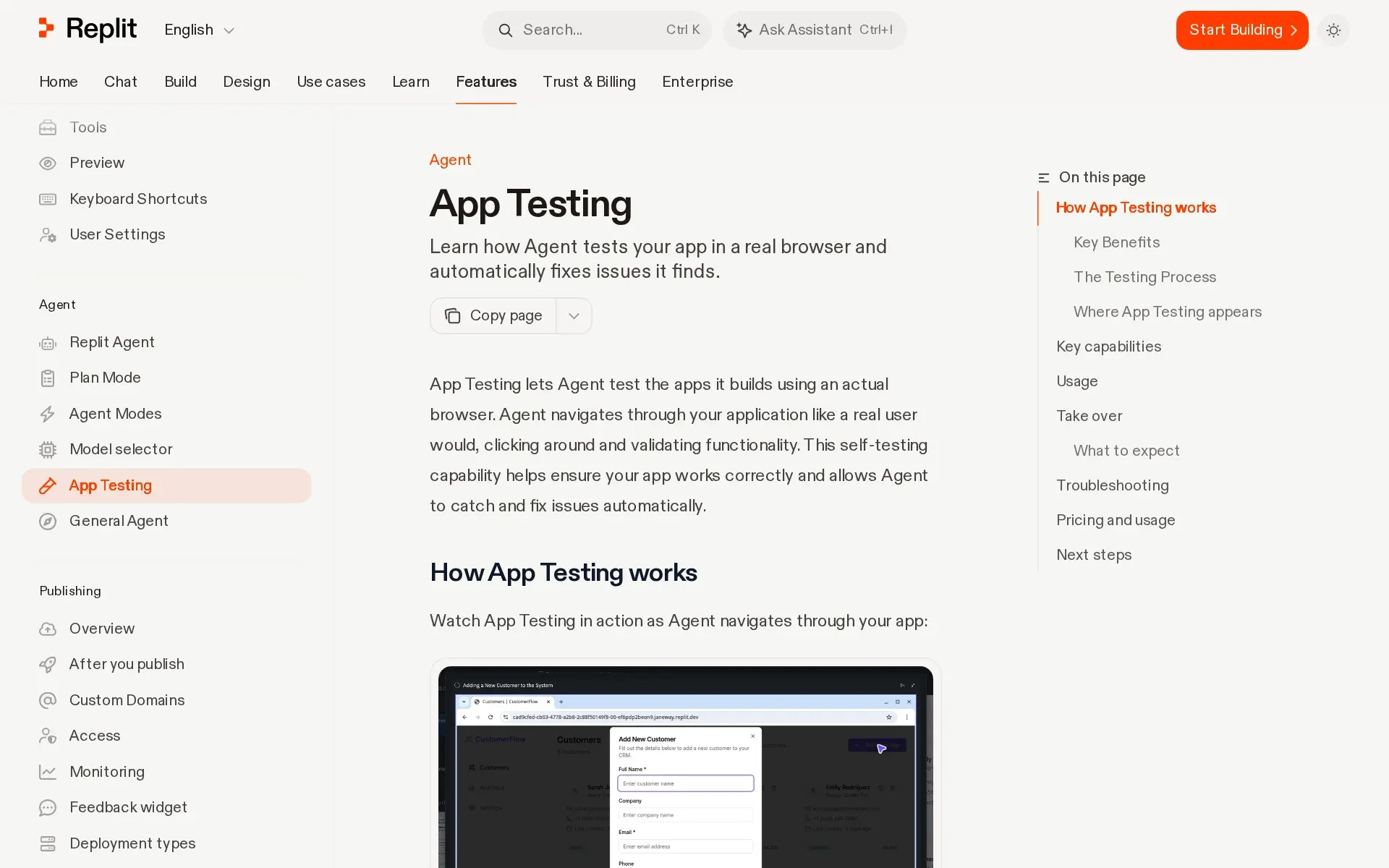
While building your app, Agent will now periodically test it using a browser, generating a report and fixing the issues it finds.
replit.com/products/agent - Reviews code
- PartlyDocumented review is Agent checking its own output as it builds; no documented flow for reviewing a diff or pull request a person wrote.Was No before our last check.
Agent reviews its own code automatically as it builds, catching mistakes and reducing costly rework—there's no setting to turn on or off.
docs.replit.com/billing/managing-spend - Whole-codebase work
- PartlyMax Mode is positioned for larger codebases and tasks can carry dependencies, but no repository-wide migration guarantee or size limit is published.Was Yes before our last check.
Max Mode uses more capable models for complex tasks, larger codebases, and harder problems.
docs.replit.com/features/agent/agent-mo… - Ships it
- YesAgent does not stop at a diff: publishing puts a running instance on Replit's cloud, with custom domains and monitoring included.
When you publish your Replit App, you create a published app. A published app is a running instance of your app on Replit's cloud infrastructure.
docs.replit.com/learn/projects-and-arti… - Done-for-you service
- NoThis is self-serve software bought by subscription; Enterprise adds named advocates for adoption help, not a team that builds your app.
Dedicated Product Advocate and Field Engineer: Named Replit partners who help your teams adopt Replit, scale up, and unblock.
docs.replit.com/billing/plans/replit-en…
How much it does unattended
- Runs autonomously
- PartlyBackground tasks run unattended in isolated copies, but nothing reaches your main version until you review and apply each result.Was Yes before our last check.
Background tasks are separate threads where Agent works independently in isolated copies of your project. Background tasks do not change your main…
docs.replit.com/core-concepts/agent/tas… - Multi-agent
- YesSeveral tasks run in parallel with automatic dependency detection and AI-assisted conflict resolution, though the ceiling varies sharply by plan.
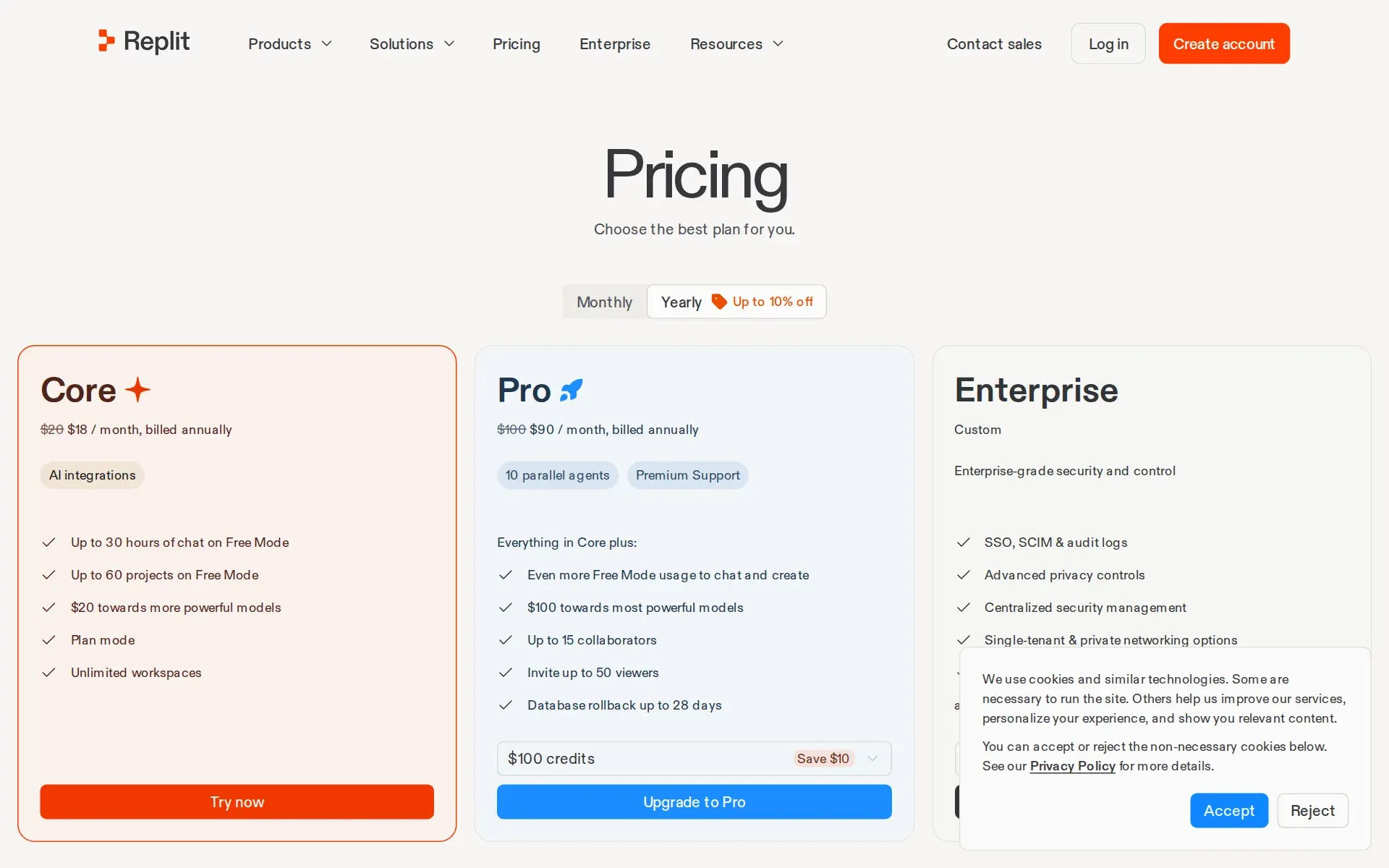
Starter does not support background tasks. Core runs 1 at a time, Pro supports up to 10, and Enterprise supports up to 64.
docs.replit.com/core-concepts/agent/tas… - Agent permissions
- PartlyAgent edits directly in Build mode, but paid escalation needs explicit confirmation and Plan Mode gates scope before any change is made.Was Yes before our last check.
Replit asks for confirmation before a paid action starts, and Agent returns to Free Mode afterward.
docs.replit.com/help/agent-and-ai
Which models it runs on
- Claude
- YesAnthropic models are selectable in both paid modes, with the heavier variants reserved for Max Mode rather than the cheaper Power tier.docs.replit.com/features/agent/model-se…
- GPT
- YesOpenAI GPT variants appear in the published model catalogue for both paid modes; Free Mode routes automatically and offers no picker.docs.replit.com/features/agent/model-se…
- Open models
- PartlyOpen-source model providers are a real but second-class category for Agent: they exist as a provider policy and are off unless an admin turns them on.
Open-source model providers are disabled by default. To make one available, select Enable all or Enable selected, then select Update.
docs.replit.com/features/collaboration/… - Model choice
- PartlyManual model choice exists only in the paid modes on paid plans; Free Mode and Starter always defer to Replit's router.
Free Mode always uses intelligent model routing. Builders on Core and Pro can choose an available model in Power Mode or Max Mode.
docs.replit.com/features/agent/model-se…
Where you use it
- In your editor
- PartlyAgent lives in Replit's own browser-based Project Editor; no plugin for a local editor such as VS Code is documented.Was Yes before our last check.
Access version control in your Replit App by adding the Git tool to the Project Editor
docs.replit.com/learn/projects-and-arti… - On the command line
- PartlyA full Git command line is available through the workspace Shell, and terminal MCP clients can drive Agent, but there is no local Replit CLI.Was No before our last check.
Git CLI offers command-line access to all Git functionality
docs.replit.com/learn/projects-and-arti… - In your pipeline
- NoThe GitHub connector is scoped to repositories, users and organizations; Replit's own connector list gives merge requests and pipelines to GitLab, not to Agent.
GitHub: Access repositories, users, and organizations
docs.replit.com/features/integrations/o… - In a browser
- YesThe entire product is a hosted web workspace: you sign up, chat, build and publish without installing anything locally.
Tell Agent what you want to build, refine it through conversation, and launch a production-ready app from one workspace.
replit.com/products/agent
Whose machine it runs on
- Self-hosted
- NoEverything runs in Replit-operated Google Cloud projects; isolation is a dedicated single-tenant GCP project, not infrastructure you own.
Replit hosts data primarily in Google Cloud Platform (GCP) data centers in the United States, with an optional hosting region in India for users who…
docs.replit.com/teams/information-secur…
What it costs to run
- How it meters
- YesBilling is a subscription plus effort-based credit consumption per completed checkpoint, with third-party model calls passed through at provider rates.
Paid modes and confirmed paid work use effort-based pricing based on request complexity.
docs.replit.com/billing/ai-billing - Free credit
- Yes$20 of free usage, a month.
$20 towards more powerful models
replit.com/pricing - Free tier
- YesThe Starter plan is a standing free tier with daily Agent credits, no sales call, though Full build and connectors need Core.
Starter plan users receive daily credits for Agent usage, up to a monthly cap. These credits reset daily, giving you a fresh allowance to work with…
docs.replit.com/billing/plans/starter-p… - API access
- PartlyThe published REST API is an Enterprise-only admin beta for usage and membership data; it does not drive Agent builds.
The Admin API is available only to account admins on Enterprise accounts. Account admins can create and manage API keys.
docs.replit.com/teams/admin-api - MCP server
- YesReplit runs its own MCP server over streamable HTTP with OAuth, exposing tools that create, update and publish apps from any client.
Replit MCP uses the Model Context Protocol to let you create, find, inspect, update, and publish Replit Apps from AI tools you already use.
docs.replit.com/platforms/mcp-server - Bring your own key
- PartlyYou can supply provider keys for models your own app calls, but the inference behind Agent itself is fixed to Replit's infrastructure.Was No before our last check.
You can bring your own AI provider keys for the models your app calls. The model that powers the Agent experience itself runs on Replit's…
docs.replit.com/help/agent-and-ai
Buying it for a team
- A company can buy it
- YesOrganisations buy Pro or Enterprise directly; Enterprise can be self-served from inside the product without a sales conversation.
You can upgrade to Enterprise directly inside Replit. Builders on any plan — Free, Core, or Pro — can move to Enterprise without leaving the product.
docs.replit.com/billing/plans/replit-en… - Seat model
- PartlyPro charges no per-seat fee but caps builders at fifteen; Enterprise lifts the cap, so the ceiling moves with the plan rather than the headcount.
Pro has no per-seat fees: you get up to 15 builders with pooled credits and budget controls.
docs.replit.com/billing/teams-billing/o… - Pooled budget
- YesTeam credits sit in one shared balance rather than per-person wallets, with usage tracked per workspace for attribution.
Pro has no per-seat fees: you get up to 15 builders with pooled credits and budget controls. Everyone works from the same plan.
docs.replit.com/billing/teams-billing/o… - Admin controls
- PartlyReal constraint on what builders and Agent may do — private-only publishing, banned exports, pinned geography — is an Enterprise settings pane.
Ban source code export: Prevents builders from exporting app source code as a ZIP file.
docs.replit.com/teams/privacy-and-deplo… - Audit log
- PartlyAudit logging, SIEM streaming and the prompt-retrieval compliance API exist, but only on Enterprise and only for account admins.
Audit logs are available exclusively for Enterprise customers. Account admins can enable them in Settings.
docs.replit.com/teams/identity-and-acce… - Single sign-on
- PartlySAML SSO with SCIM provisioning is an Enterprise-tier feature; Core and Pro buyers get no federated identity.
SSO and SAML with SCIM provisioning: Secure, automated team access tied to your identity provider.
docs.replit.com/billing/plans/replit-en…
What happens to your code
- Opt out of training
- PartlyContent trains Replit's models by default; the opt-out switch is documented for Pro, while Enterprise content is excluded outright.
This control is available to Pro users. For Enterprise users, Replit does not use customer content to train its models.
docs.replit.com/legal-and-security-info… - Data residency
- PartlyData sits in US Google Cloud by default with an opt-in India region; EU hosting of published apps requires an Enterprise sales request.
All published apps are hosted in the United States. Enterprise customers can contact sales to request their published apps to be hosted in the…
docs.replit.com/learn/projects-and-arti… - Getting out
- PartlySource leaves cleanly as a zip or through GitHub sync, but purchased credits expire six months out and do not roll over.
Expiration: Credit packs expire six months after the purchase date ... No rollover: Unused credits from a pack do not roll over after expiration
docs.replit.com/billing/managing-spend - Certifications
- PartlyReplit states its own SOC 2 Type 2 attestation; the ISO 27001 claim on the same page belongs to Google Cloud, not to Replit.
GCP is an industry-leading cloud provider, certified for compliance with ISO 27001 and SOC 2 Type 2. Additionally, Replit has achieved SOC 2 Type 2…
docs.replit.com/teams/information-secur…
Plans and pricing
What needs a higher plan
- Max Mode
- Whole-codebase work
- Enterprise
- API access, Admin controls, Audit log, Single sign-on
- Pro
- Seat model
- Pro and Enterprise
- Opt out of training
From replit.com/pricing, checked .
The Agents Index digest
Price changes and new agents like Replit Agent, at most once a week.
Last issue: Devin vs Claude Code: Which Should You Pick? · 13 October 2026
Works with
 Claude
Core
 GPT
GPTCore
- PartlyOpen models
For AI agents
- MCP server
- Yes
- API
- PartlyEnterprise
Screenshots
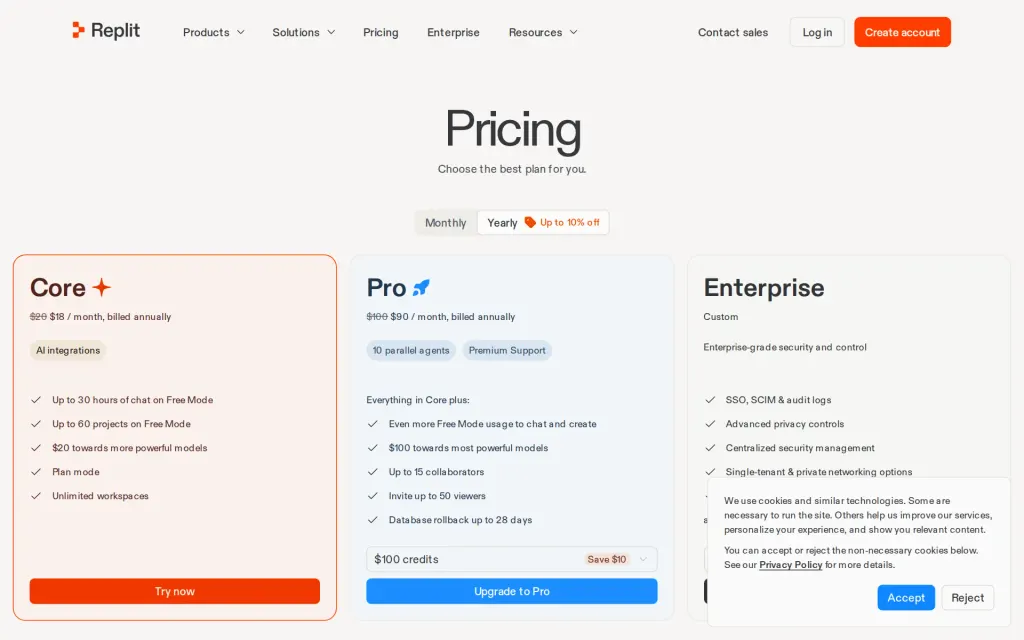
Pricing page, replit.com, captured 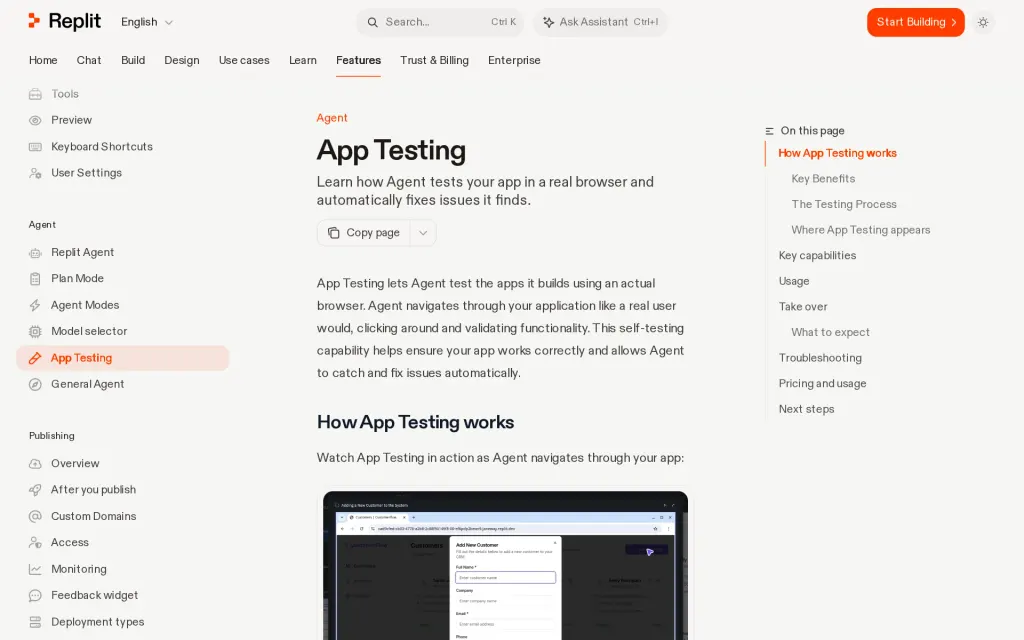
Docs, replit.com, captured
Filed under
Sources and updates
Last changed
Sources42
- replit.com/enterprise
- replit.com/products/agent
- docs.replit.com/features/collaboration/enterprise-model-controls
- docs.replit.com/billing/ai-billing
- docs.replit.com/billing/plans/replit-enterprise
- docs.replit.com/features/agent/app-testing
- docs.replit.com/features/agent/model-selector
- docs.replit.com/learn/build-in-parallel
- docs.replit.com/billing/managing-spend
- docs.replit.com/billing/plans/replit-pro
- docs.replit.com/billing/teams-billing/overview
- docs.replit.com/core-concepts/agent/task-system
- docs.replit.com/features/workspace-tools/ssh
- docs.replit.com/help/agent-and-ai
- docs.replit.com/learn/projects-and-artifacts/replit-deployments
- docs.replit.com/learn/projects-and-artifacts/version-control
- replit.com/pricing
- docs.replit.com/teams/information-security/overview
- docs.replit.com/billing/plans/starter-plan
- docs.replit.com/chat/model-selector
- replit.com/commercial-agreement
- docs.replit.com/features/agent/agent-modes
- docs.replit.com/features/agent/general-agent
- docs.replit.com/features/agent/overview
- docs.replit.com/features/collaboration/workspace-geography
- docs.replit.com/features/editor/editor-and-tools
- docs.replit.com/features/integrations/overview
- docs.replit.com/features/platforms/desktop-app
- docs.replit.com/features/publishing/overview
- docs.replit.com/features/security/agent-security-scans
- docs.replit.com/features/security/geography
- docs.replit.com/features/workspace-tools/shell
- docs.replit.com/help/projects-and-files
- docs.replit.com/learn/plan-vs-build-mode
- docs.replit.com/legal-and-security-info/model-improvement
- docs.replit.com/platforms/mcp-server
- replit.com/privacy-policy
- docs.replit.com/teams/admin-api
- docs.replit.com/teams/enterprise-privacy-settings
- docs.replit.com/teams/identity-and-access-management/audit-logs
- docs.replit.com/teams/identity-and-access-management/saml
- docs.replit.com/teams/privacy-and-deployment-settings
Coverage elsewhere3
The Agents Index in AI answers0 of 1
- PerplexityDoes not cite The Agents IndexAsked
Replit Agent alternatives
on Other sources: mindstudio.ai, digitalocean.com, toolchase.com, aiapps.com, topbusinesssoftware.com, fast.io
Updates6
- Capabilities · Free tier · Plan limits
- Capabilities · Free tier · Price · Terms
- Capabilities · Free tier · Terms
- Capabilities · Free tier · Price · Terms
- Pricing tiers.enterprise.features
- Summary · Tagline
Is this yours? Claim it free and edit it in your dashboard, or feature it in Coding agents.