
Summary
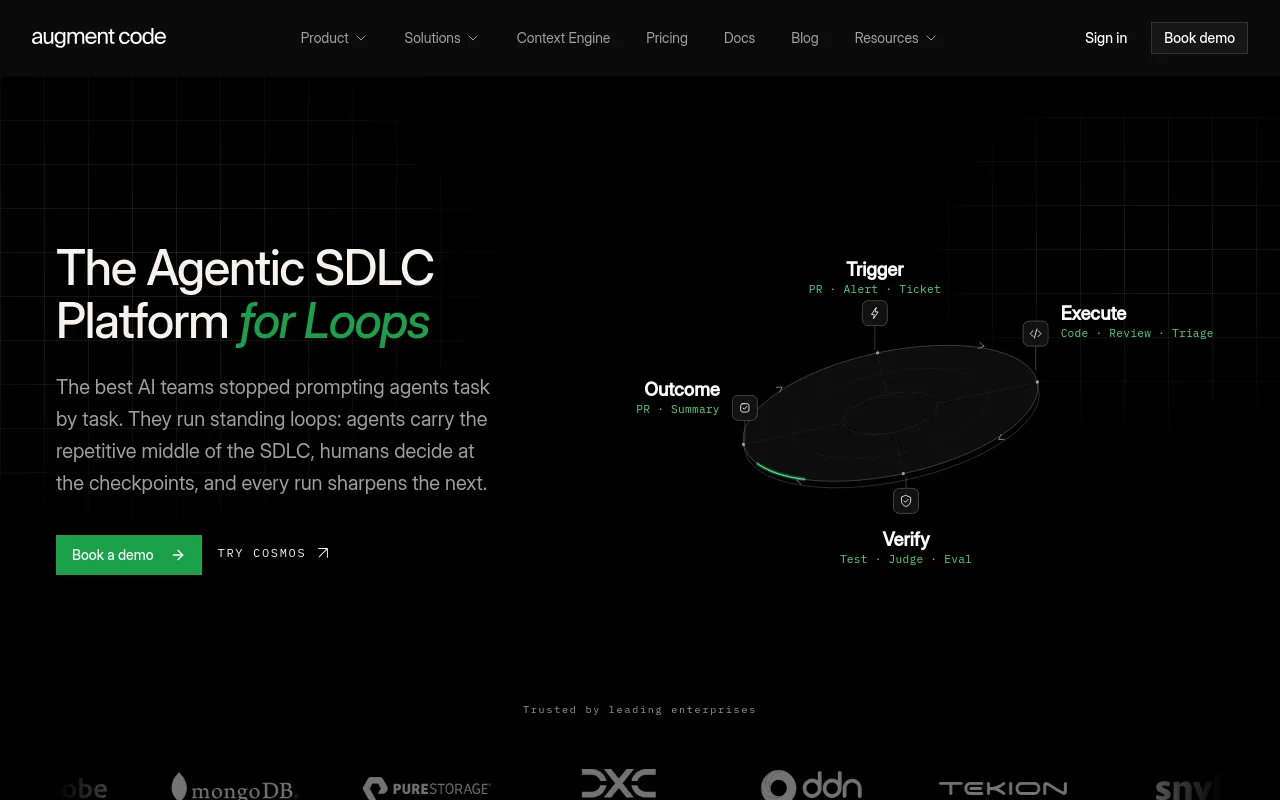
Augment Code sells Cosmos, a platform that runs fleets of coding agents across ticket-to-PR, review, verification and incident work, triggered from GitHub, GitLab, Slack, Linear and schedules. It also ships Auggie CLI, VS Code, JetBrains and Vim extensions backed by its Context Engine.
- Best for
- Engineering leaders at organizations who want AI agents running full SDLC loops end to end, with humans at the quality gates, rather than inline completion assistants.
- Not for
- Teams that need a free tier with self-serve signup, per-prompt cost transparency, or stable per-user pricing, since Augment's only self-serve plan is $100/mo flat and usage costs vary with workload.
- From
- $100/monthbilled monthly
- Free trial
- PartlyNo free plan is published: the pricing page lists only Business at $100/month and Enterprise (Custom). The pricing FAQ and the Community terms of service both reference trials, but no trial length or allowance is stated anywhere on the site.
What it does
- Writes code
- YesPR Author turns a task description or ticket into a branch, an implementation and an opened pull request.
PR Author is the canonical Ticket-to-PR Expert. It turns a task description, ticket, or existing change into a reviewed pull request or merge…
docs.augmentcode.com/cosmos/experts-pr-… - Debugs and fixes
- YesPR Fixer repairs CI failures and review findings; a CI Failure Investigator expert diagnoses failed runs.
PR Fixer — repairs review findings, CI failures, and merge conflicts on changes created without PR Author.
docs.augmentcode.com/cosmos/experts-tem… - Writes tests
- YesAgent generates unit tests for new code; the legacy-migration workflow adds tests as part of each module PR.
Create test coverage - Generate unit tests for your newly developed features
docs.augmentcode.com/using-augment/agent - Reviews code
- YesDeep Reviewer, Pair Reviewer and Risk Analyzer experts review pull requests and post inline findings.
Deep Reviewer — performs non-interactive, line-by-line correctness review.
docs.augmentcode.com/cosmos/experts-tem… - Whole-codebase work
- YesPublished workflows cover module-by-module legacy migration and epic decomposition across repositories.
Legacy code migration, module by module. Move a legacy codebase one module at a time: analyze the old code, translate it, add tests, and open a PR…
augmentcode.com/workflows - Ships it
- PartlyAgents drive a change through CI to merge; the vendor does not claim the agent deploys or releases.
It creates the branch, implements the change, opens the review, and stays with it through CI, merge conflicts, and review comments.
docs.augmentcode.com/cosmos/experts-pr-… - Done-for-you service
- NoAugment sells a self-serve platform you run; no build-and-run engagement is offered, only support tiers.
Cosmos is the platform for building an always-on software delivery system that moves work from spec to verification. Build and tune it in natural…
augmentcode.com/product
How much it does unattended
- Runs autonomously
- YesNon-interactive experts run end to end on triggers; human checkpoints are configurable, not mandatory.
A non-interactive reviewer that reads a PR end-to-end and posts inline, severity-tagged comments as the bot, no human in the loop.
augmentcode.com/workflows - Multi-agent
- YesA manager Expert launches worker Experts or subagents that run in parallel with their own context and model.
Workers — a manager Expert launches another Expert as a separate session with its own VM, Environment, integrations, and permissions.
docs.augmentcode.com/cosmos/workers-sub… - Agent permissions
- Yesallow/deny/webhook/script rules per tool and per shell regex, committed in .augment/settings.json.
toolPermissions is honored by the Auggie CLI and by Cosmos cloud agents. Rules are loaded at agent startup from the settings files below and applied…
docs.augmentcode.com/cli/permissions
Which models it runs on
- Claude
- YesClaude Opus, Sonnet, Haiku and Fable families are all selectable.
Claude Opus 5 by Anthropic
docs.augmentcode.com/models/available-m… - GPT
- YesGPT-5.1 through GPT-5.6 variants are selectable, and a GPT Prism router is offered.
GPT-5.6 Sol by OpenAI
docs.augmentcode.com/models/available-m… - Open models
- PartlyOpen-weight GLM and Kimi models are offered, but only Augment-hosted; the model list is closed and has no self-supplied weights.
GLM 5.2 by Zhipu AI (hosted on Fireworks)
docs.augmentcode.com/models/available-m… - Model choice
- YesYou pick the model per expert, session or message; Prism routing is an opt-in alternative.
In Cosmos, choose the model when configuring an expert or starting a session. In Auggie CLI, use the /model slash command or pass the --model flag…
docs.augmentcode.com/models/available-m…
Where you use it
- In your editor
- YesExtensions for VS Code, JetBrains IDEs and Vim/Neovim, plus ACP clients such as Zed.
Augment in Visual Studio Code brings agent and chat into your favorite open source editor.
docs.augmentcode.com/setup-augment/inst… - On the command line
- YesAuggie CLI installs from npm and runs interactively or headless.
Auggie CLI takes the power of Augment's agent and context engine and puts it in your terminal, allowing you to use Augment anywhere your code goes.
docs.augmentcode.com/cli/overview - In your pipeline
- Yes--print mode is built for CI/CD, and GitHub/GitLab triggers act on pull requests and failed runs.
Print Mode: Add the --print flag (e.g., auggie --print "your instruction") to execute the instruction once without the UI. ... Perfect for…
docs.augmentcode.com/cli/overview - In a browser
- YesCosmos is a hosted web app for sessions, experts and automations, with dashboards at app.augmentcode.com.
Everything you can do in the Cosmos UI can also be done from the terminal.
docs.augmentcode.com/cli/cloud
Whose machine it runs on
- Self-hosted
- PartlyAgents can execute on your own machines via daemons, but inference and the control plane stay with Augment.
Daemons have access to the host machine's CPU, disk, and network; agents execute tools and make edits on the host machine but still make all LLM…
docs.augmentcode.com/cosmos/environment… - Open source
- PartlyContext Connectors is an open-source library on the Context Engine SDK; the agent platform itself is proprietary.
An open-source library built on the Context Engine SDK that makes diverse sources searchable across agents and apps
docs.augmentcode.com/context-services/c…
What it costs to run
- How it meters
- YesMetered in dollars: LLM tokens at provider list price, a 40% service fee on LLM, and $0.19/hour Cosmos compute.
Augment uses token-based pricing. Instead of buying a pool of credits and learning a separate conversion table, you pay for the actual resources your…
docs.augmentcode.com/models/token-based… - Free tier
- PartlyNo free plan is published; pricing lists only Business at $100/month and Enterprise. Business is self-serve, though, and trials are referenced.
Trials and beta use: Community support only; our SLA does not apply to trials or beta usage.
augmentcode.com/pricing - API access
- PartlyAuggie TypeScript/Python SDKs drive the agent from your own code; the Analytics API is Enterprise-only preview.
Build custom integrations and agents using the Auggie SDK.
docs.augmentcode.com/cli/sdk - MCP server
- YesContext Engine is exposed to other agents over MCP (local stdio or hosted HTTP), and MCP tools are on both plans.
Plug Context Engine into any agent via the Model Context Protocol
docs.augmentcode.com/context-services/m… - Bring your own key
- PartlyYou can supply your own machines or cloud for execution, but all inference is billed through Augment; no bring-your-own model key is documented.
agents execute tools and make edits on the host machine but still make all LLM calls to Augment's external services
docs.augmentcode.com/cosmos/environment…
Buying it for a team
- A company can buy it
- YesBusiness bundles a team under one admin and one bill; Enterprise is contracted for the whole organisation.
Use Teams to collect individual Augment Code accounts on the Business plan into a Team. Once established you can bundle billing for your organization.
docs.augmentcode.com/teams/teams-admin-… - Seat model
- YesBusiness is a flat $100/month for up to 50 seats with no per-seat charge; above 50 seats you move to Enterprise.
A seat is any team member with access to your Augment workspace. The Business plan includes up to 50 seats at one flat price of $100/month — there is…
augmentcode.com/pricing - Pooled budget
- YesIncluded usage and top-ups draw from one shared team balance; Enterprise adds per-user budget overrides.
Your included usage and any top-ups are pooled across your whole team — up to 50 seats on the Business plan, with no per-seat charge.
augmentcode.com/pricing - Admin controls
- YesA repo-committed settings file denies tools or specific shell commands on every cloud agent; Enterprise adds granular access controls and enforced budgets.
Committing a .augment/settings.json to your repository is the recommended way to enforce an organizational policy (for example, blocking git merge)…
docs.augmentcode.com/cli/permissions - Audit log
- PartlyComprehensive Audit Trails is ticked for Enterprise and crossed out for Business in the plan comparison.augmentcode.com/pricing
- Single sign-on
- PartlySSO, OIDC and SCIM are Enterprise-only; the comparison table crosses out Enterprise SSO Integration for Business.
SSO, OIDC, & SCIM support
augmentcode.com/pricing
What happens to your code
- Opt out of training
- PartlyPaid plans exclude AI training on your data, but the Community terms grant Augment the right to train on Customer Code.
No. All paid plans exclude any AI training on your data as part of our Commercial Terms of Service.
augmentcode.com/pricing - Data residency
- PartlyData residency options and multi-region compute are Enterprise-only; Business gets no residency choice.augmentcode.com/pricing
- Getting out
- PartlyTop-ups expire 12 months after purchase and included usage does not roll over; usage data exports as CSV, but no code/session export is documented.
Usage top-ups that are not part of your paid plan are valid 12 months after the date of purchase.
augmentcode.com/pricing - Certifications
- YesSOC 2 Type II on both plans, ISO/IEC 42001 certified AI management system, GDPR and CCPA obligations in the terms.
AI coding assistance backed by customer-managed encryption keys and an ISO/IEC 42001-certified Artificial Intelligence Management System.
augmentcode.com/security
33 sourced claims on this page. Checked 2026-09-02. How we check.
Alternatives
Where we would send a reader instead, in that listing's own words.
Coding agent in a desktop editor, terminal CLI, cloud VMs and CI, priced per seat plus token usage.
Cloud AI software engineer that takes a ticket, works in its own VM, and opens a pull request.
Droid coding agents that run in the desktop app, CLI, IDEs, CI and Factory-managed cloud computers.
Agentic coding tool from Anthropic that edits your codebase, runs commands, and opens pull requests.
GitHub's AI coding assistant and cloud agent, from editor completions to pull-request review.
AI code review across pull requests, IDE and CLI, with agentic fixes, pre-merge checks and security review.
Open-source software engineering agent with GUI, CLI, SDK and an enterprise control plane.
Filed under
Sources and updates
The pages we read30
Every fact below comes from the vendor. Nothing here is independently corroborated yet.
- augmentcode.com/pricing10 fields
- docs.augmentcode.com/models/available-models4 fields
- docs.augmentcode.com/cli/overview2 fields
- docs.augmentcode.com/cli/permissions2 fields
- docs.augmentcode.com/cosmos/environments/daemons2 fields
- docs.augmentcode.com/cosmos/experts-pr-author2 fields
- docs.augmentcode.com/cosmos/experts-pr-fixer2 fields
- docs.augmentcode.com/cosmos/experts-templates2 fields
- augmentcode.com/product/cli2 fields
- augmentcode.com/workflows2 fields
- docs.augmentcode.com/analytics/analytics-api1 field
- github.com/augmentcode/auggie/blob/main/LICENSE.md1 field
- docs.augmentcode.com/cli/cloud1 field
- docs.augmentcode.com/cli/sdk1 field
- docs.augmentcode.com/codereview/overview1 field
- docs.augmentcode.com/context-services/context-connectors/overview1 field
- docs.augmentcode.com/context-services/mcp/overview1 field
- docs.augmentcode.com/cosmos/workers-subagents1 field
- docs.augmentcode.com/introduction1 field
- augmentcode.com/legal/privacy-policy1 field
- docs.augmentcode.com/models/token-based-pricing1 field
- augmentcode.com/product1 field
- augmentcode.com/product/context-engine-mcp1 field
- augmentcode.com/product/cosmos1 field
- augmentcode.com/security1 field
- docs.augmentcode.com/setup-augment/install-visual-studio-code1 field
- augmentcode.com/solutions/migrations1 field
- augmentcode.com/solutions/test-coverage1 field
- docs.augmentcode.com/teams/teams-admin-guide1 field
- docs.augmentcode.com/using-augment/agent1 field
Coverage elsewhere3
Updates4
- Capabilities · Commercial terms · Free tier
- Capabilities · Commercial terms · Free tier · Price
- Alternatives · Summary
- Created · One-liner · Summary